

Customer support teams often handle a large number of repetitive questions, service requests, account inquiries, troubleshooting issues, and routine tasks every day. As businesses grow, the increasing volume of customer interactions can place additional pressure on support agents and make it difficult to maintain fast response times.
Customer support automation provides a way to manage many routine interactions without requiring human agents to handle every request manually. Automated workflows can answer common questions, provide helpful resources, collect customer information, and route complex issues to the appropriate support team.
Modern businesses can use technologies such as Virtual assistants, Machine learning chatbots, and Chatbot technology to improve the efficiency of customer service operations. These solutions can handle predictable tasks while human agents focus on conversations that require judgment, empathy, or specialized knowledge.
What Is Customer Support Automation?
Customer support automation refers to using software, artificial intelligence, automated workflows, and digital tools to handle specific customer service tasks with limited manual intervention.
Automation can be used across websites, messaging platforms, mobile applications, email systems, help desks, and other customer service channels.
Automating Repetitive Support Tasks
Many support requests involve questions that have predictable answers. Customers may ask about business hours, order status, account procedures, return policies, password resets, or basic product information.
Automated systems can provide answers to these questions without requiring an agent to manually respond each time.
Supporting Human Agents
Automation can also assist support agents instead of communicating directly with customers. For example, an automated system can collect customer information before transferring an issue to an agent.
This allows the support representative to understand the situation more quickly and avoid asking customers to repeat information.
How Customer Support Automation Reduces Workload

When repetitive requests are handled automatically, support teams can spend more time solving complex problems and providing personalized assistance.
Handling Frequently Asked Questions
Frequently asked questions can account for a significant portion of customer support interactions. Businesses can create automated responses based on common questions and support documentation.
Customers can receive immediate answers without waiting for an agent, while support representatives can focus on requests that require additional investigation.
Automating Information Collection
Support systems can automatically collect information such as order numbers, account details, product information, or the nature of a customer’s issue.
Collecting these details before an agent becomes involved can make the support process more efficient and reduce unnecessary back-and-forth communication.
The Role of Virtual Assistants in Customer Support
Virtual assistants can help businesses provide automated support through conversational interfaces. They can guide customers through common processes, answer questions, provide information, and direct users toward appropriate resources.
When properly configured, Virtual assistants can operate continuously and support customers outside traditional business hours.
Providing Immediate Assistance
Customers do not always contact support during normal working hours. A virtual assistant can provide basic information whenever customers need it.
Immediate responses can help customers solve simple problems without waiting for a support representative to become available.
Guiding Customers Through Processes
Virtual assistants can guide customers through common procedures such as account navigation, order tracking, appointment-related questions, product information, or troubleshooting steps. Clear instructions can reduce the number of routine requests that reach human agents.
How Machine Learning Chatbots Improve Support Efficiency

Unlike basic rule-based systems, Machine learning chatbots can be designed to handle variations in how customers phrase similar questions.
Understanding Different Customer Questions
Customers may ask the same question using completely different wording. A machine learning-based system can analyze the meaning of a message and identify the likely intent. This can make automated support more flexible and reduce the need to create a separate response for every possible wording variation.
Improving Responses Over Time
Businesses can review chatbot conversations to identify questions that were not answered effectively. These insights can be used to improve knowledge bases, response flows, and chatbot training. Continuous optimization can gradually improve the usefulness of automated support.
The Importance of Chatbot Technology
Chatbot technology has become an important component of modern customer support automation. Chatbots can communicate with customers through websites, messaging platforms, applications, and other digital channels. They can perform a variety of routine tasks while helping businesses maintain consistent support availability.
Supporting 24/7 Customer Service
One major benefit of chatbot technology is continuous availability. Customers can receive answers to common questions even when human support teams are unavailable. This can reduce waiting times and provide customers with useful information outside regular operating hours.
Managing Multiple Conversations
Human agents have limits on how many conversations they can manage simultaneously. Automated systems can handle many routine conversations at the same time.
This can help businesses manage periods of high demand without requiring the same increase in manual support capacity.
Automating Customer Support Workflows
Automation becomes more effective when it is connected to broader support workflows. Instead of simply answering questions, automated systems can perform specific actions based on customer requests.
For example, a system can identify a customer’s issue, provide relevant information, collect details, and route the conversation to the appropriate department.
Ticket Classification and Routing
Support automation can categorize incoming requests according to their subject or urgency. Technical issues can be directed toward technical support, billing questions toward the billing team, and product inquiries toward the relevant department. Automated routing can reduce the time agents spend sorting and assigning support tickets.
Automated Status Updates
Customers frequently contact support to ask about the status of an order, service request, refund, or support ticket.
If the relevant information is available through connected systems, automation can provide status updates without requiring an agent to manually retrieve the information.
Reducing Repetitive Work for Support Agents
Support agents often spend considerable time performing repetitive activities. Although these tasks may be simple, they can consume significant working hours when request volumes are high. Automation can reduce repetitive workload and allow agents to focus on more meaningful customer interactions.
Reducing Manual Responses
Automated systems can handle standard responses to common customer questions. Agents can then review only the conversations that require human involvement. This can make support teams more efficient without eliminating the need for human communication.
Assisting With Knowledge Retrieval
Automation can help agents quickly locate relevant support articles, troubleshooting instructions, policies, or product information. Providing the right information at the right time can reduce the time required to resolve customer issues.
Balancing Automation With Human Support
Effective customer support automation does not mean automating every interaction. Some situations require human understanding, judgment, and empathy.
Businesses should identify which tasks are suitable for automation and which should be handled by trained support representatives.
Identifying Complex Issues
Complaints, unusual technical problems, sensitive account issues, and complicated service requests may require human involvement.
Automated systems should provide customers with a clear path to human support when they cannot resolve an issue effectively.
Creating Smooth Human Handoffs
When a conversation is transferred from an automated system to an agent, relevant information should be passed along whenever possible.
A smooth handoff prevents customers from having to repeat their problem and allows the agent to begin working on the issue more quickly.
Improving Customer Experience Through Automation
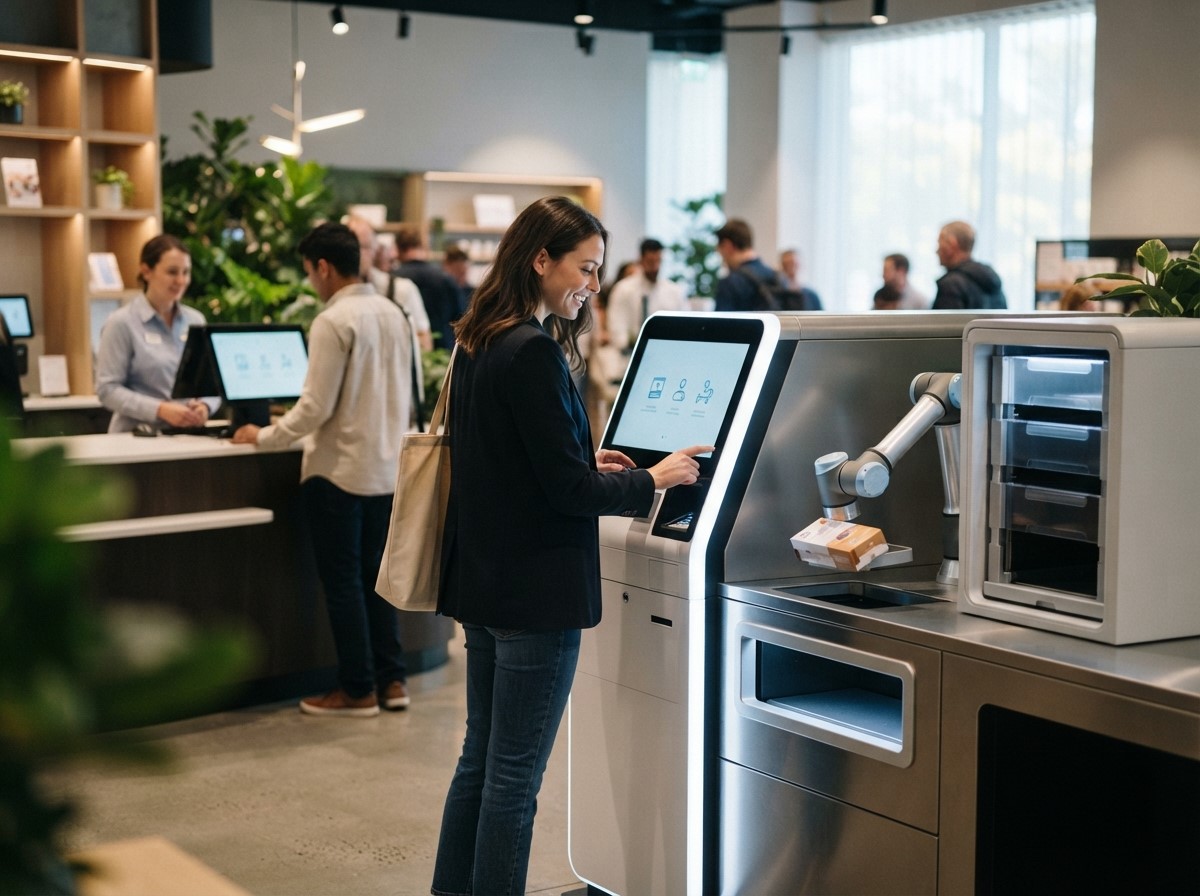
Businesses should design automated interactions around customer needs and provide clear communication throughout the support process.
Providing Faster Responses
Customers generally prefer receiving useful information quickly. Automated support can provide immediate responses to common questions and reduce unnecessary waiting. Faster responses can be particularly useful when customers need simple information or guidance.
Maintaining Consistent Information
Human agents may sometimes provide slightly different answers to the same question. Automated systems can deliver standardized information based on approved support resources. This can help businesses maintain consistency across common customer interactions.
Measuring Customer Support Automation Performance
Businesses should monitor support automation performance to determine whether it is actually reducing workload and improving customer service. The right metrics depend on the organization’s goals and support structure.
Tracking Automated Resolution
Businesses can measure how many customer requests are successfully resolved through automation without requiring human intervention.
A high automated resolution rate can indicate that the system is effectively handling appropriate routine requests, although quality should also be considered.
Monitoring Escalation Rates
Escalation rates show how frequently automated conversations are transferred to human agents. A high escalation rate is not automatically a problem. Complex issues should often reach human agents. Businesses should examine whether escalations are appropriate and whether automated systems are correctly identifying their limitations.
Measuring Agent Productivity
Businesses can compare support workloads before and after automation. Useful measurements may include tickets handled per agent, average response time, resolution time, and time spent on repetitive tasks. These metrics can help determine whether automation is actually creating operational improvements.
Common Challenges of Customer Support Automation
Automation can provide significant benefits, but poor implementation can create new problems. Businesses should carefully plan their automation strategy before deploying automated support at scale.
Incorrect or Outdated Information
Automated systems are only as useful as the information they provide. Outdated policies, incorrect product details, or incomplete support documentation can lead to poor customer experiences. Businesses should regularly review and update their automated knowledge resources.
Over-Automation
Customers can become frustrated when they are forced to interact with automation even when they clearly need human assistance. Providing an accessible human support option is important, particularly for complex or sensitive issues.
Best Practices for Effective Customer Support Automation
A successful automation strategy starts with identifying repetitive tasks that are suitable for automation. Businesses should then design clear workflows, maintain accurate information, and establish appropriate human escalation processes. Automation should be continuously monitored and improved based on customer feedback and support data.
Start With High-Volume Tasks
Businesses can begin by automating repetitive requests that occur frequently and have predictable solutions. This approach allows support teams to address clear workload challenges without immediately automating complicated interactions.
Review Customer Conversations Regularly
Support conversations provide valuable information about customer needs and automation performance. Reviewing these conversations can reveal missing information, confusing responses, and new opportunities for automation. Regular analysis helps ensure that automated support remains useful as products and customer expectations change.
The Future of Customer Support Automation
Customer support automation is likely to continue developing as artificial intelligence, natural-language processing, and conversational technologies become more capable.
Future support systems may combine automated assistance with human expertise more closely, allowing customers to move between self-service, AI-powered support, and human agents based on the complexity of their needs. The focus should remain on creating a balanced support experience. Automation can manage repetitive tasks and provide fast information, while human professionals can handle situations requiring empathy, judgment, and deeper problem-solving.
Conclusion
Customer support automation can significantly reduce repetitive workload by handling common questions, collecting information, routing requests, providing status updates, and supporting customers outside regular business hours. Virtual assistants can guide customers through routine processes, while Machine learning chatbots can help understand different forms of customer questions. Chatbot technology can also support continuous communication across multiple digital channels.
However, effective automation requires balance. Businesses should automate appropriate tasks while maintaining clear pathways to human support for complex issues. With accurate information, well-designed workflows, continuous monitoring, and customer-focused implementation, automation can help support teams work more efficiently while maintaining a useful customer experience.
FAQs
1. What is customer support automation?
Customer support automation uses software, automated workflows, artificial intelligence, and digital tools to handle specific customer service tasks with limited manual intervention.
2. How does customer support automation reduce workload?
It reduces workload by handling repetitive questions, collecting customer information, routing tickets, providing status updates, and managing other routine support tasks without requiring an agent for every interaction.
3. What are Virtual assistants in customer support?
Virtual assistants are automated digital systems that communicate with customers and help with tasks such as answering questions, providing information, guiding users through processes, and directing customers to appropriate resources.
4. What are Machine learning chatbots?
Machine learning chatbots use machine learning and natural-language technologies to understand customer questions and provide relevant responses. They can handle different ways of asking similar questions.
5. How does Chatbot technology help customer service?
Chatbot technology can provide immediate answers, handle multiple routine conversations, support 24/7 service, collect information, and guide customers through common support processes.
6. Can customer support automation replace human agents?
Automation is generally best suited to repetitive and predictable tasks. Complex issues, sensitive situations, complaints, and problems requiring judgment may still require human support agents.
7. How can automation improve response times?
Automated systems can respond immediately to common questions and requests. This reduces the need for customers to wait for an available support representative.
8. What customer support tasks can be automated?
Common examples include frequently asked questions, ticket classification, basic troubleshooting, order-status requests, information collection, appointment-related questions, and routine account guidance.
9. How should businesses handle automated-to-human transfers?
Businesses should provide a clear escalation option and transfer relevant conversation information to the human agent whenever possible. This reduces repetition and can help agents resolve issues more efficiently.
10. How can businesses measure customer support automation?
Businesses can track automated resolution rates, escalation rates, response times, resolution times, ticket volumes, customer satisfaction, and agent productivity to evaluate automation performance.






How Customer Support Automation Reduces Support Workload
Conversational Marketing Best Practices for Modern Brands
How Machine Learning Chatbots Support Business Growth
How Natural Language Processing Improves Data Analysis