
Amazon Web Services (AWS) has always been a pioneer in the cloud computing space, and with tools like the AWS Chatbot, they are once again transforming the efficiency model for developers and enterprises. AWS Chatbot connects to your existing AWS environment to provide automated, real-time notifications and commands in your chat platform of choice, such as Slack and Amazon Chime.
This blog post covers all the information about AWS Chatbots, from the elementary to the advanced level. If you are a cloud developer looking to streamline your workflow or a tech enthusiast looking to brush up on emerging tools, this guide will provide you with the knowledge needed to use AWS Chatbots effectively.
At the end of this walkthrough, you will be familiar with the salient features of AWS Chatbot, how to set it up, possible use cases, and how it can transform your cloud management journey.
Understanding the Basics of AWS Chatbots
Before diving into AWS Chatbots, it is helpful to have some basic knowledge of AWS. Amazon Web Services (AWS) is a cloud-based solution for computing, storage, networking, databases, and other tools, providing over 200 solutions for customers. Startups and enterprises use these services to build and deploy their applications in a scalable and cost-effective way.
AWS allows developers to control their infrastructure down to the exact grain. But with the sheer number of services, even monitoring and responding to events in your ecosystem can be challenging. AWS Chatbots comes to the rescue in these situations by allowing us to receive notifications and run commands directly within collaborative chat platforms.
Key Features and Benefits
AWS Chatbots serve as your on-the-go assistant for enhancing operational efficiency. Here’s a breakdown of its major benefits:
1. Seamless Notifications
AWS Chatbot connects with foundational AWS services like Amazon CloudWatch, AWS Systems Manager, and AWS Security Hub, delivering real-time alerts to Slack or Amazon Chime. For example, you’ll be notified immediately if your infrastructure exceeds certain usage thresholds.
2. Predefined Commands
Beyond notifications, AWS Chatbots allow you to execute predefined commands. You can update autoscaling policies, retrieve diagnostic information, or address resource changes without leaving your Slack workspace.
3. Multi-Channel Integration
Collaborate more effectively by sharing AWS events with your team within familiar chat tools. Teams can stay on top of critical updates without toggling between multiple interfaces.
4. Simplified Security
AWS Chatbot leverages AWS Identity and Access Management (IAM), ensuring permissions are tightly managed. You can restrict commands and actions based on users or groups.
5. Scalability
Since AWS Chatbot directly integrates with cloud services, its scalability is naturally aligned with AWS’s robust infrastructure. It can handle thousands of alerts seamlessly, helping businesses streamline complex workflows.
Setting Up Your First AWS Chatbot
Setting up AWS Chatbot is a straightforward process requiring minimal coding knowledge. Here’s how to get started:
Step 1. Log in to the AWS Console
Navigate to the AWS Management Console, and search for “Chatbot” in the service menu.
Step 2. Select Your Communication Platform
Choose either Slack or Amazon Chime. If you select Slack, you’ll need to authorize the AWS Chatbot app in your Slack workspace for it to interact with channels.
Step 3. Configure a Chatbot
Follow the step-by-step wizard to define the configuration. You’ll need to:
- Specify the notification permissions via IAM.
- Select AWS topics (SNS topics, specifically) to subscribe to the chatbot.
- Assign the bot to a channel in Slack or Amazon Chime.
Step 4. Test Notifications
After setting up, send a test notification to ensure everything is working correctly before going live.
Step 5. Refine Permissions
Fine-tune your IAM policy to control who can execute commands through the chatbot, limiting access to sensitive AWS actions.
Enhancing Team Productivity with Real-Time Collaboration

AWS Chatbot modern cloud teams to collaborate faster and more efficiently by bringing operational awareness directly into shared communication channels. Instead of relying on dashboards or delayed email alerts, teams receive instant updates inside Slack or Amazon Chime, allowing quicker decision-making. This real-time collaboration reduces downtime, shortens feedback loops, and improves accountability across DevOps, security, and engineering teams. By centralizing notifications and actions in one place, AWS Chatbot minimizes context switching and keeps everyone aligned on system health and ongoing tasks. As organizations scale, this collaborative approach becomes essential for maintaining operational excellence without increasing overhead or complexity.
Security and Compliance Considerations in Cloud Messaging
When integrating cloud infrastructure with messaging platforms, security becomes a top priority. AWS Chatbot addresses this by relying on IAM roles, fine-grained permissions, and secure API interactions to ensure only authorized users can view alerts or run commands. This is especially important in regulated industries where data access must be tightly controlled. Concerns around Chatbots and Data Privacy are mitigated through encrypted communication, role-based access control, and detailed audit logs. By maintaining strict security boundaries, AWS Chatbot enables teams to collaborate confidently while meeting compliance requirements and safeguarding sensitive operational data.
The Role of Automation in Modern Cloud Operations
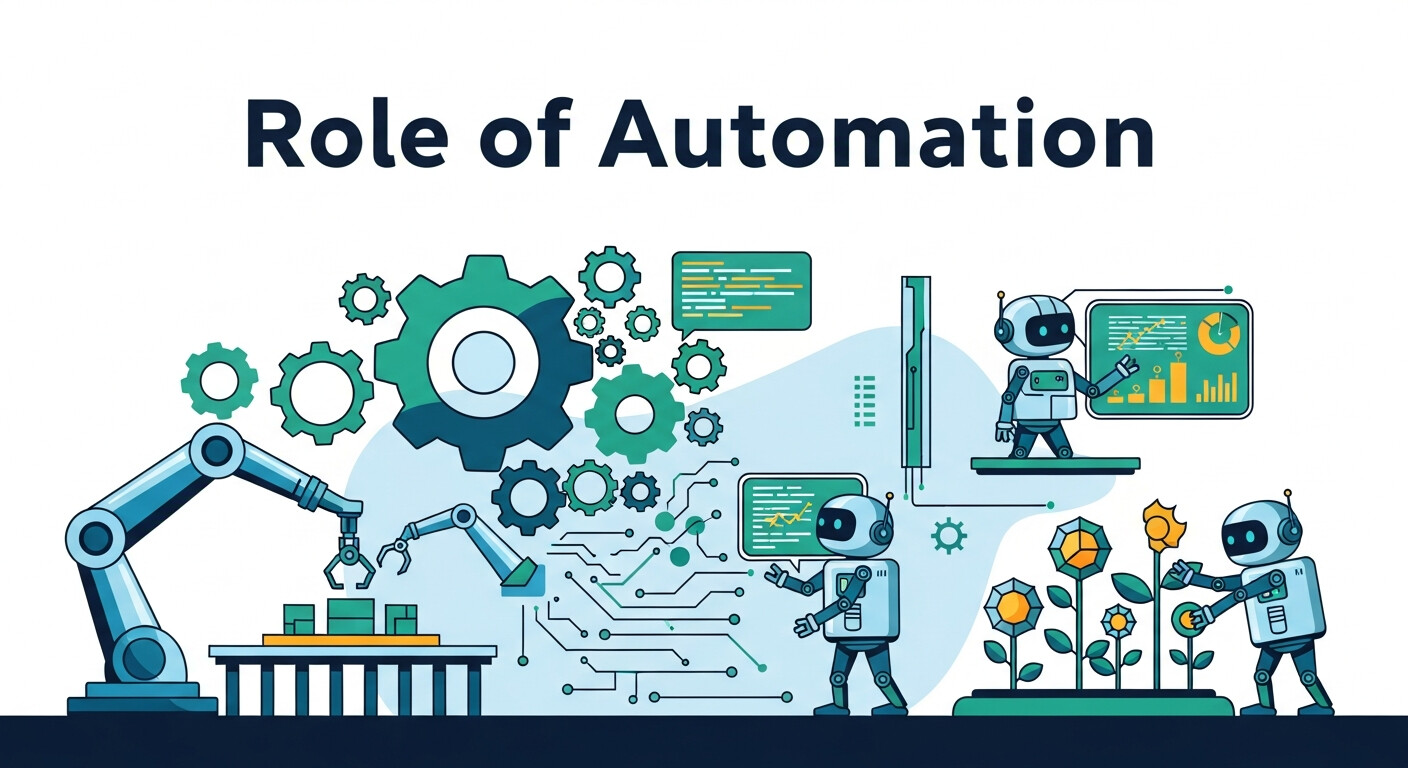
Automation is at the core of efficient cloud management, and AWS Chatbot plays a supporting role by acting as a command interface for automated workflows. When paired with AWS Lambda, CloudWatch, and Systems Manager, routine operational tasks can be executed with minimal human intervention. Alerts can trigger predefined responses, reducing response time and human error during incidents. As cloud ecosystems evolve, future enhancements such as Voice-Activated Chatbots could further simplify interactions, allowing engineers to initiate actions hands-free. This progression highlights how chat-based automation continues to lower the barrier between humans and complex cloud systems.
Keeping Systems Updated with Intelligent Notifications
Staying informed about infrastructure changes is critical in dynamic cloud environments. AWS Chatbot helps teams remain proactive by delivering timely and relevant notifications about deployments, performance issues, or security findings. These updates ensure teams can react quickly before minor issues escalate into major outages. Over time, smarter filtering and prioritization will make alerts even more actionable. With the evolution of AI-driven tooling, AI Chatbot Content Updates will likely become more contextual and predictive, helping teams focus only on what truly matters while reducing alert fatigue and improving operational clarity.
Scaling Cloud Operations for Growing Organizations
As organizations grow, managing multiple AWS accounts, regions, and services becomes increasingly complex. AWS Chatbot simplifies this challenge by aggregating notifications across environments into centralized communication channels. This unified visibility allows teams to maintain control without adding operational friction. Scalable alert handling, consistent permission models, and cross-account support make AWS Chatbot suitable for both startups and large enterprises. By standardizing how teams interact with cloud events, organizations can scale confidently while maintaining performance, reliability, and governance across their entire cloud infrastructure.
Advanced Customization and Integrations
While the base setup works wonderfully, advanced customization unlocks the full potential of AWS Chatbots. Here are a few ways you can tailor them to your needs:
1. Custom Alerts
Use Amazon CloudWatch to define custom metrics and alarms. For example, you might set up alerts for failed EC2 instance launches or unusual activity in RDS databases.
2. Integration with AWS Lambda
AWS Lambda functions can be triggered directly by AWS Chatbot commands. Automate more complex workflows, such as triggering remediation steps when an alert is raised.
3. Multiple Regions and Accounts
AWS Chatbots support cross-region and multi-account integration. If your organization has multiple AWS accounts, you can combine notifications into a single communication channel.
4. Integration with Third-Party Apps
Combine AWS Chatbots with productivity tools like Jira or GitHub for issue tracking and collaborative monitoring. Use AWS API Gateway to extend integrations further.
Best Practices for AWS Chatbot Development
To maximize the efficiency of AWS Chatbots, follow these best practices:
- Granular Permissions: Apply the principle of least privilege when defining IAM roles for chatbots.
- Notification Prioritization: Use filters to avoid spamming channels with unnecessary alerts. Focus on high-priority updates.
- Regular Updates: AWS frequently adds new features. Stay updated to take full advantage of its capabilities.
- Document Processes: When using AWS Chatbots in a team setting, maintain clear documentation on how alerts are configured and how to respond to them.
Real-World Use Cases
AWS Chatbots have found valuable applications across a variety of use cases:
1. DevOps Monitoring:
Automate your DevOps pipeline by notifying teams of build completions, deployment statuses, or failed unit tests.
2. Incident Response:
When critical resources fail, AWS Chatbots can trigger Lambda functions to activate backup systems or notify key personnel.
3. Compliance Monitoring:
AWS Security Hub alerts can be sent to relevant teams, ensuring compliance with frameworks such as GDPR or HIPAA.
4. Resource Management:
Scale resources dynamically based on usage alerts (e.g., auto-provisioning additional EC2 capacity during traffic surges).
Troubleshooting Common Issues
Here are quick fixes for common challenges:
Issue 1. Notifications not appearing in Slack or Chime
- Ensure the appropriate IAM role and permissions are assigned.
- Verify that you’ve subscribed to the correct SNS topics.
Issue 2. IAM Errors
- Check for conflicted policies or missing scope definitions.
Issue 3. Excessive Notifications
- Reduce noise by creating more granular CloudWatch alarms.
The Future of AWS Chatbots
AWS Chatbots represent just the beginning of what AI-driven assistants can accomplish in cloud management. As AWS expands its machine-learning capabilities, expect even smarter chatbots equipped with predictive analytics, voice command integration, and better contextual understanding for troubleshooting.
Anticipated developments include:
- Greater integration with machine learning models to predict downtime.
- Augmented support for multilingual commands.
- Enhanced event correlation across global enterprise accounts.
AWS Chatbots not only provide exceptional operational value today but are also paving the way for next-gen cloud automation.
Making Cloud Simpler with AWS Chatbot
AWS Chatbots are revolutionizing how cloud developers and professionals manage infrastructure. By bringing real-time insights and command functionality directly into your team’s communication channels, they help save time, reduce complexity, and streamline operations.
If you’re ready to experience the convenience of AWS Chatbots firsthand, now’s the perfect time to give them a try. Visit Chatbotsweb.com and unlock the next level of efficiency for your cloud management workflows today!
Frequently Asked Questions (FAQ)
What is AWS Chatbot?
AWS Chatbot is a service that integrates AWS with chat platforms like Slack and Amazon Chime. It allows teams to receive real-time notifications, monitor AWS resources, and execute predefined commands directly from chat channels.
What platforms does AWS Chatbot support?
AWS Chatbot currently supports Slack and Amazon Chime. These integrations enable teams to collaborate and respond to AWS events without leaving their messaging tools.
Is AWS Chatbot the same as a conversational AI chatbot?
No. AWS Chatbot is not a general conversational AI. It is a notification and command interface designed to interact with AWS services, execute predefined commands, and deliver alerts—not to engage in free-form conversations.
What AWS services work with AWS Chatbot?
AWS Chatbot integrates with services such as Amazon CloudWatch, AWS Systems Manager, AWS Security Hub, Amazon SNS, and AWS Lambda, among others. This allows teams to monitor performance, security, and operational events in real time.
Do I need coding skills to use AWS Chatbot?
Basic AWS knowledge is helpful, but extensive coding skills are not required. Most setups can be completed using the AWS Management Console, although advanced automation may involve IAM policies or Lambda functions.
Is AWS Chatbot secure?
Yes. AWS Chatbot uses AWS Identity and Access Management (IAM) to control permissions. You can limit which users can receive notifications or execute commands, following the principle of least privilege.
Can AWS Chatbot be used across multiple AWS accounts?
Yes. AWS Chatbot supports multi-account and cross-region configurations, making it suitable for enterprises managing complex AWS environments.
How much does AWS Chatbot cost?
AWS Chatbot itself is free to use, but standard charges apply for the AWS services it integrates with, such as CloudWatch, SNS, or Lambda.
What are common use cases for AWS Chatbot?
Common use cases include DevOps monitoring, incident response, compliance alerts, resource scaling notifications, and automated remediation through Lambda integrations.
How does AWS Chatbot improve DevOps workflows?
By delivering alerts and enabling commands directly in chat tools, AWS Chatbot reduces context switching, speeds up incident response, and improves collaboration between development and operations teams.
Can AWS Chatbot trigger automated actions?
Yes. AWS Chatbot can trigger AWS Lambda functions, allowing teams to automate remediation steps or workflows when specific alerts or commands are issued.



AI Chatbots for CRM: Boost Customer Engagement & Loyalty
Transforming Employee Onboarding with AI Chatbots: A Step-by-Step Guide
Emergency Response Chatbots: Revolutionizing Crisis Management with AI
Revolutionizing Recruitment: How Chatbots Streamline Hiring Processes and Elevate Talent Acquisition