
AI chatbot implementation is transforming how businesses deliver customer support by making communication faster, more accessible, and more efficient. Customers expect immediate answers, personalized assistance, and reliable solutions whenever they encounter problems. Traditional support teams may struggle to meet these expectations, especially when they receive large volumes of inquiries.
By implementing intelligent chatbot solutions, businesses can automate repetitive conversations, provide instant responses, and help customers find relevant information without unnecessary delays. Modern Generative AI chatbots, effective Chatbot integration, and Live chat automation allow companies to improve service quality while reducing the pressure on human agents. A well-planned AI chatbot implementation strategy can strengthen customer satisfaction, streamline support operations, and create better experiences across digital channels.
Understanding AI Chatbot Implementation
AI chatbot implementation refers to the process of introducing artificial intelligence-powered conversational systems into business communication and customer support operations. These systems can understand customer questions, identify user intent, retrieve relevant information, and provide responses through websites, messaging applications, and other digital platforms.
Unlike traditional rule-based chatbots, AI-powered solutions can use natural language processing and machine learning to interpret different ways of asking the same question. Depending on their capabilities and configuration, they can also maintain conversational context and assist customers with more complex requests.
Why Businesses Need AI Chatbots
Customer support teams frequently handle repetitive questions about product features, order status, account access, billing, and service availability. Answering these questions manually consumes time that agents could otherwise spend resolving complicated customer issues.
AI chatbots help businesses handle common inquiries automatically and provide consistent information. They can support customers outside normal business hours and reduce waiting times during busy periods. When properly configured, these systems improve accessibility while allowing human agents to focus on situations requiring judgment, empathy, or specialized knowledge.
How AI Chatbot Implementation Improves Response Times
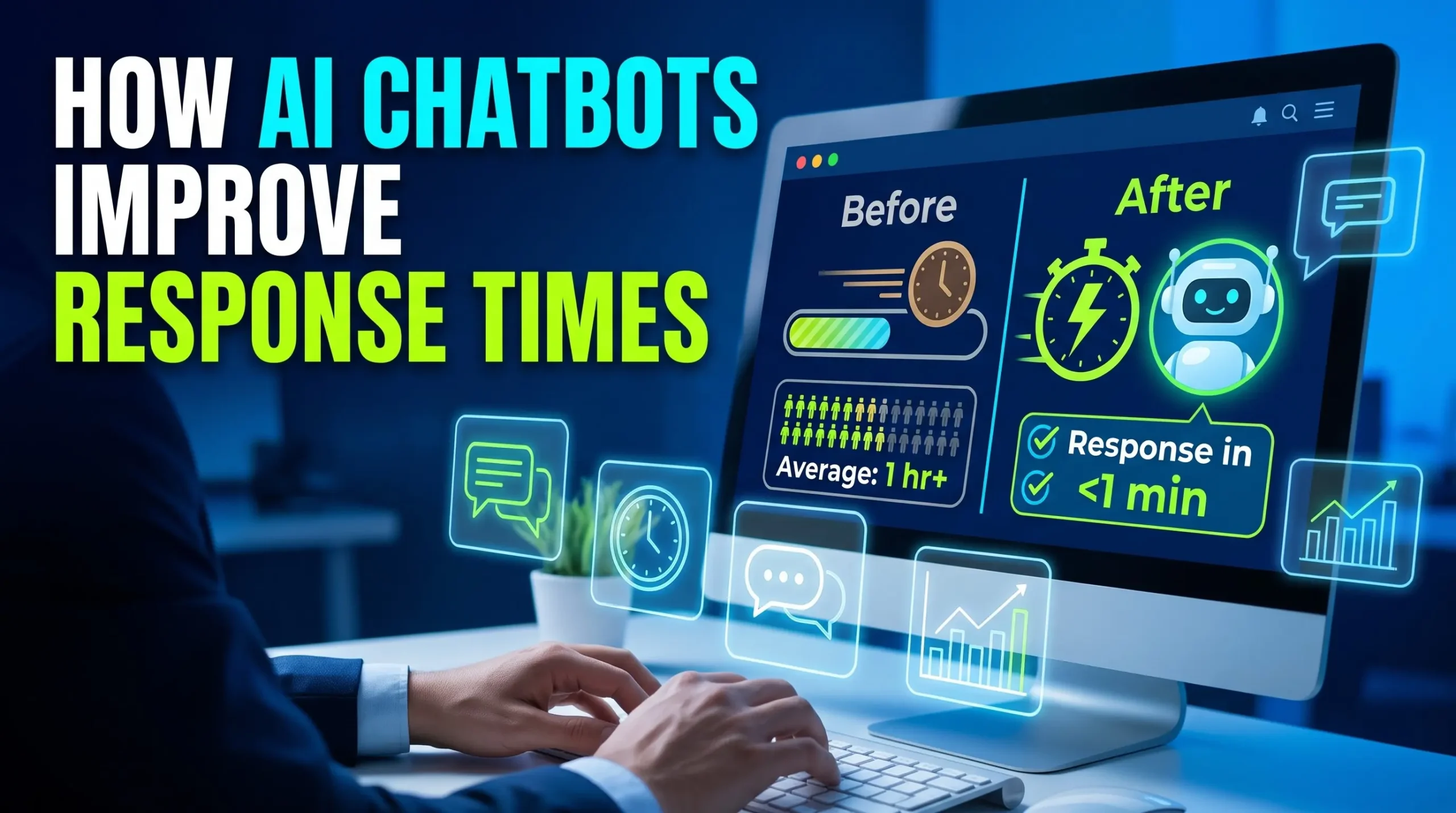
Automated assistance also allows businesses to handle multiple conversations simultaneously. Instead of requiring an individual agent for every routine inquiry, chatbots can manage many interactions at once, improving support availability during peak periods.
Providing Instant Customer Assistance
AI chatbots can respond immediately when customers ask about business hours, shipping policies, product availability, or frequently requested services. Customers do not need to wait in a queue for information that can be provided automatically.
For example, an online retailer can configure a chatbot to explain delivery timelines and guide customers toward order-tracking information. This approach makes support more convenient and helps agents concentrate on complicated delivery problems, payment disputes, and other issues that require human intervention.
Supporting Customers Around the Clock
Customers may need assistance outside traditional business hours, particularly when a business serves people across different time zones. AI chatbots can provide continuous access to approved information, answer routine questions, and collect details about unresolved problems.
Although automated assistance cannot replace every human interaction, it helps customers receive useful guidance when support agents are unavailable. Businesses can also configure the chatbot to create support tickets or arrange follow-up communication when an issue requires additional attention.
Enhancing Customer Experiences With Generative AI Chatbots
Generative AI chatbots use generative artificial intelligence to produce conversational responses based on customer questions and available information. Depending on the system, they may interpret natural language, summarize information, maintain conversational context, and adapt responses to different customer needs.
These capabilities can make digital support feel more natural than rigid, menu-based interactions. However, response quality depends on the underlying model, the quality of connected information, system instructions, and appropriate safeguards. Businesses should test chatbot responses carefully to reduce inaccurate or misleading answers.
Understanding Customer Questions More Effectively
Customers do not always describe their problems using the same words that appear in company documentation. One person might ask how to return a product, while another might ask how to send an unwanted purchase back.
A capable AI chatbot can recognize that these questions relate to the same support process and provide relevant instructions. Better intent recognition reduces unnecessary repetition and helps customers find solutions more efficiently. When a question remains unclear, the chatbot should ask a clarifying question rather than make unsupported assumptions.
Delivering More Personalized Support
AI chatbots can tailor assistance using relevant conversation context, customer preferences, and authorized account information. For example, an authenticated customer may receive guidance related to an existing order instead of generic purchasing instructions.
Personalization should follow privacy requirements and access controls. Businesses should disclose relevant data practices, avoid collecting unnecessary personal information, and ensure that customers can reach a human representative when needed. Responsible personalization improves convenience without compromising customer trust.
The Role of Chatbot Integration in Customer Support
Integration allows chatbots to retrieve relevant information and support more useful workflows instead of functioning as isolated communication tools. However, the chatbot should only access data and perform actions permitted by the business’s security policies and the customer’s authorization.
Connecting Chatbots With CRM Systems
Customer relationship management systems store information about customer interactions, preferences, previous inquiries, and sales activities. Connecting a chatbot with an appropriate CRM system can help support teams understand the context behind a customer’s request.
For example, a chatbot may identify an existing support ticket and provide its current status when the customer has been authenticated. Human agents can also review relevant conversation history, reducing the need for customers to explain the same problem repeatedly.
Integrating Knowledge Bases and Help Desk Platforms
A well-maintained knowledge base provides approved answers to common customer questions. Integrating this resource with a chatbot helps the system retrieve information from product guides, troubleshooting documents, service policies, and frequently asked questions.
Help desk integration can also allow the chatbot to create tickets, categorize requests, and transfer conversations to the appropriate team. These capabilities improve continuity between automated assistance and human support while reducing unnecessary manual work.
Improving Efficiency Through Live Chat Automation
Live chat automation uses automated workflows to manage repetitive support activities within live chat systems. It can include greeting customers, collecting relevant details, categorizing inquiries, suggesting knowledge base articles, and routing conversations to suitable agents.
When implemented effectively, automation reduces administrative work and helps customers reach the right support resource more quickly. Businesses should design these workflows around genuine customer needs rather than using automation to create unnecessary barriers to human assistance.
Automating Repetitive Support Tasks
Many support requests follow predictable patterns, such as checking order status, resetting account credentials, understanding return policies, or finding service documentation. Automation can handle these interactions through predefined workflows and approved information sources.
For example, a chatbot may guide a customer through a password-reset process using the company’s secure authentication system. This reduces routine workload and gives support agents more time to investigate technical problems, resolve complaints, and manage sensitive customer situations.
Routing Complex Issues to Human Agents
Not every customer issue can be resolved automatically. Complaints involving financial disputes, unusual technical failures, account security, or emotional distress may require a human representative.
Businesses should configure clear escalation rules so the chatbot recognizes when a conversation needs human attention. Relevant conversation history should accompany the transfer when appropriate, allowing agents to continue the discussion without asking customers to repeat information unnecessarily.
Reducing Customer Support Costs Without Sacrificing Quality

However, savings depend on implementation costs, integration requirements, maintenance, usage fees, and the proportion of conversations successfully resolved. Businesses should evaluate total operating costs alongside customer satisfaction to ensure that automation improves service rather than simply reducing human support availability.
Allocating Human Resources More Effectively
When chatbots manage straightforward inquiries, support agents can dedicate more time to complex problems and higher-value customer interactions. This can improve the use of employee expertise and reduce pressure during periods of increased demand.
Businesses should also provide training so agents understand how chatbot-assisted workflows operate. Clear responsibilities, reliable escalation processes, and regular quality reviews help teams collaborate effectively with automated systems while maintaining accountability for customer outcomes.
Evaluating Return on Investment
Measuring return on investment helps businesses determine whether chatbot implementation provides meaningful financial and operational benefits. Relevant considerations include reduced handling time, fewer repetitive inquiries, improved resolution rates, and changes in customer retention.
Companies should compare these benefits against development, licensing, integration, monitoring, and maintenance expenses. A chatbot that reduces agent workload but creates repeated customer complaints may not provide sustainable value. Balanced measurement ensures that cost improvements support better service quality.
Improving Customer Support Across Digital Channels
Customers may contact a business through its website, mobile application, email, or messaging platforms. AI chatbot implementation can make support more accessible by placing automated assistance within the channels customers already use.
A coordinated approach helps businesses deliver consistent information and reduce communication gaps. However, each channel may have different privacy, technical, and operational requirements, so companies should design integrations carefully and maintain appropriate security controls.
Creating Consistent Omnichannel Experiences
An omnichannel support strategy aims to provide connected customer experiences across different communication channels. A customer might begin by asking a chatbot a question on a website and later contact a human agent through another supported channel.
When systems share authorized conversation history and relevant support information, the business can reduce repetition and maintain continuity. Companies should clearly communicate which channels support automated assistance and ensure that customer records remain accurate and appropriately protected.
Supporting Multilingual Customers
Businesses serving international audiences may need to provide assistance in several languages. AI chatbots with reliable multilingual capabilities can help customers access instructions and information in their preferred language.
However, translation quality may vary across languages, dialects, and specialized terminology. Companies should test important responses with fluent speakers where appropriate, particularly for legal policies, financial information, and technical instructions. Human assistance should remain available when the chatbot cannot communicate clearly.
Protecting Customer Data During AI Chatbot Implementation
Customer trust depends on the responsible handling of personal and business information. AI chatbots may process names, contact details, order information, account data, and conversation histories, making privacy and security essential parts of implementation.
Businesses should define what information the chatbot can collect, where that information is stored, who can access it, and how long it is retained. Appropriate controls help reduce privacy risks while supporting reliable customer service.
Establishing Security and Privacy Controls
Companies should apply access restrictions, encryption where appropriate, secure authentication, and documented data-retention policies. Chatbots should not disclose sensitive account information without proper verification or perform high-impact actions without suitable authorization.
Businesses should also assess third-party vendors, review relevant data-processing agreements, and comply with applicable privacy laws. Regular security testing and monitoring can help identify weaknesses before they lead to serious customer or operational problems.
Preventing Inaccurate or Misleading Responses
AI-generated responses may occasionally contain incorrect information, misunderstand customer requests, or provide outdated instructions. Businesses should reduce these risks by grounding answers in approved sources, limiting unsupported responses, and defining clear escalation rules.
Regular testing should cover common questions, unusual scenarios, privacy-sensitive requests, and attempts to manipulate the chatbot into ignoring its safeguards. Customers should have a straightforward way to report incorrect answers and obtain human assistance when necessary.
Measuring AI Chatbot Performance and Customer Satisfaction
Performance measurement helps businesses understand whether their chatbot improves support outcomes. Instead of judging success by conversation volume alone, companies should evaluate whether customers receive accurate answers, resolve their problems, and experience less friction during support interactions.
A measurement framework should combine operational indicators with customer feedback. Reviewing these results regularly allows businesses to identify weaknesses, improve conversation flows, and determine which tasks should remain under human supervision.
Tracking Key Support Metrics
Useful metrics include chatbot resolution rate, average response time, customer satisfaction score, escalation rate, and the percentage of conversations abandoned before resolution. Businesses may also monitor repeat contact rates to determine whether customers need to return for help with the same issue.
Each metric requires context. For example, a high escalation rate may indicate poor chatbot performance, but it could also reflect an appropriate policy for sensitive or complicated requests. Reviewing several indicators together provides a more accurate understanding of support quality.
Improving Performance Through Continuous Optimization
Chatbot performance should be reviewed as products, policies, and customer expectations change. Businesses can analyze unresolved questions, customer feedback, and incorrect responses to identify opportunities for improvement.
Updating knowledge sources, refining instructions, testing conversation flows, and improving escalation rules can make support more reliable over time. Human agents should also contribute insights from real customer interactions. Continuous optimization helps the chatbot remain useful while preserving the quality and accountability of the overall support operation.
Conclusion
AI chatbot implementation helps businesses improve customer support through faster responses, continuous availability, personalized assistance, and automated workflows. By combining Generative AI chatbots, effective Chatbot integration, and reliable Live chat automation, organizations can manage routine inquiries more efficiently while allowing human agents to focus on complex customer needs.
Successful implementation requires more than choosing an AI platform. Businesses must maintain accurate information, protect customer data, establish clear escalation procedures, and measure both operational efficiency and customer satisfaction. When automation supports rather than replaces meaningful human assistance, it can create a more accessible, responsive, and trustworthy customer support experience.
Frequently Asked Questions (FAQs)
1. What Is AI Chatbot Implementation?
AI chatbot implementation is the process of introducing and configuring an artificial intelligence-powered chatbot to handle customer inquiries, provide information, automate support tasks, and assist human service teams.
2. How Does AI Chatbot Implementation Improve Customer Support?
It improves customer support by reducing waiting times, answering common questions automatically, providing assistance outside business hours, and helping customers reach appropriate support resources.
3. What Are Generative AI Chatbots?
Generative AI chatbots use generative artificial intelligence to create conversational responses based on user questions, available context, and the information accessible to the system.
4. Why Is Chatbot Integration Important?
Chatbot integration connects the chatbot with systems such as CRM platforms, help desks, and knowledge bases, allowing it to provide more relevant information and support connected workflows.
5. What Is Live Chat Automation?
Live chat automation uses automated workflows to manage routine chat activities, collect customer details, answer common questions, and route conversations to appropriate support agents.
6. Can AI Chatbots Replace Human Customer Support Agents?
AI chatbots can handle many routine inquiries, but they cannot reliably replace human agents in every situation. Complex complaints, sensitive issues, and unusual problems often require human judgment and empathy.
7. How Much Does AI Chatbot Implementation Cost?
Costs vary depending on the platform, customization, integrations, conversation volume, security requirements, and ongoing maintenance. Businesses should evaluate the total cost of ownership before selecting a solution.
8. How Can Businesses Protect Customer Data in AI Chatbots?
Businesses can protect customer data through secure authentication, access controls, appropriate encryption, data minimization, retention policies, vendor assessments, and compliance with applicable privacy laws.
9. How Do Businesses Measure Chatbot Success?
Businesses can evaluate chatbot success through resolution rates, response times, customer satisfaction, escalation rates, repeat contact rates, and operational costs.
10. How Long Does AI Chatbot Implementation Take?
Implementation time depends on chatbot complexity, integration requirements, data readiness, and testing needs. A basic FAQ chatbot may be deployed relatively quickly, while a customized solution connected to multiple business systems may require considerably longer.
How AI Chatbot Implementation Improves Customer Support
Chatbot Data Privacy Strategies to Strengthen Customer Trust
AI Chatbot Security Strategies to Protect Customer Information
How Omnichannel Chatbot Solutions Drive Customer Engagement