
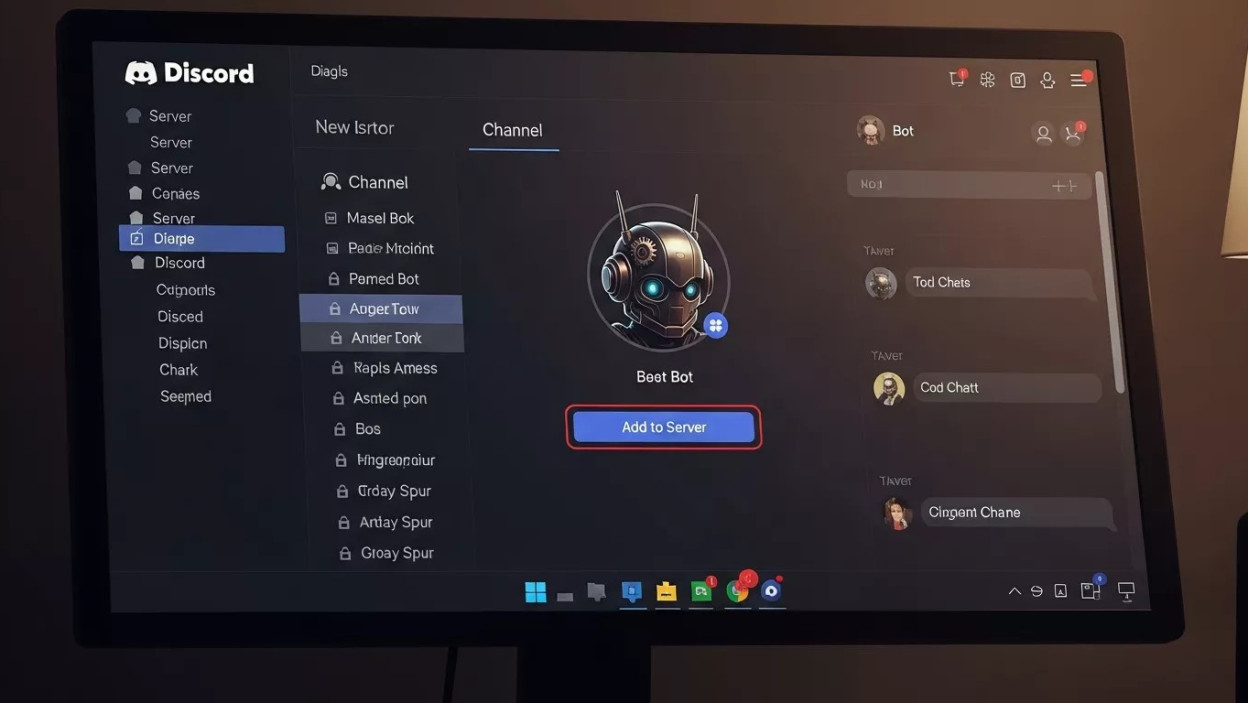
The Role of Bots in Modern Discord Communities

Modern online communities thrive on speed, automation, and structured interaction. Discord has evolved far beyond a simple chat application into a powerful platform for gaming, education, collaboration, and brand communities. As these communities grow, the need to automate moderation, engagement, and support becomes unavoidable. This is where learning how to add bot to Discord chat becomes a practical skill rather than a technical luxury.
Adding a bot to Discord chat allows server owners and moderators to reduce manual work, maintain consistency, and create richer user experiences. From auto-moderation and welcome messages to music playback and workflow automation, bots have become an essential part of modern Discord environments.
This guide explains how to add bot to Discord chat step by step while also covering the strategic, psychological, and technical considerations that ensure long-term success.
Understanding How Discord Bots Work
Before diving into the process, it is important to understand what a Discord bot actually is and how it interacts with chats.
A Discord bot is an automated application that connects to a Discord server using Discord’s API. Once authorized, it can read messages, respond to commands, manage roles, and perform predefined actions inside chat channels.
When you add bot to Discord chat, you are essentially granting controlled access to your server so the bot can operate within specific permissions.
Key Components of a Discord Bot
-
Discord application (created in Discord Developer Portal)
-
Bot token (used for authentication)
-
Permissions and scopes
-
Server and channel access rules
Understanding these basics helps prevent security issues and misuse later.
Why Adding a Bot to Discord Chat Matters
Discord servers grow fast. Without automation, managing conversations becomes chaotic.
Automation Meets Human Psychology
Human attention is limited. Moderators burn out when forced to repeat the same tasks. When you add bot to Discord chat, repetitive actions such as filtering spam, answering FAQs, or assigning roles are handled automatically.
This reduces friction for both users and admins. Predictable systems create psychological comfort, which improves community engagement.
Scalability Without Complexity
Manual moderation does not scale. Bots do. Whether your server has 50 members or 50,000, bots operate consistently without fatigue.
Preparing Your Discord Server Before Adding a Bot
Before you add bot to Discord chat, some preparation is necessary.
Administrator Permissions
You must have:
-
Administrator access, or
-
Permission to manage the server
Without this, Discord will not allow bot authorization.
Channel Structure Planning
Decide where the bot should operate:
-
General chat
-
Support channels
-
Moderation logs
-
Bot-only command channels
This planning avoids clutter and improves user experience.
Step-by-Step Process to Add Bot to Discord Chat
Step 1: Choose the Right Bot
Not all bots serve the same purpose. Identify your goal:
-
Moderation
-
Music
-
Engagement
-
Automation
-
Support
Popular bot directories help you evaluate features, reviews, and update frequency.
Step 2: Authorize the Bot to Your Server
When you select a bot, you’ll receive an authorization link.
-
Click the invite link
-
Select your Discord server
-
Approve requested permissions
-
Complete verification
At this point, you officially add bot to Discord chat at the server level.
Step 3: Configure Bot Permissions Carefully
Over-permissioning is a common mistake.
| Permission Type | Recommended Use |
|---|---|
| Read Messages | Required for chat interaction |
| Send Messages | Required for responses |
| Manage Messages | Only for moderation bots |
| Administrator | Avoid unless absolutely necessary |
Smart permission control protects your server from accidental misuse.
Assigning Bots to Specific Discord Chats
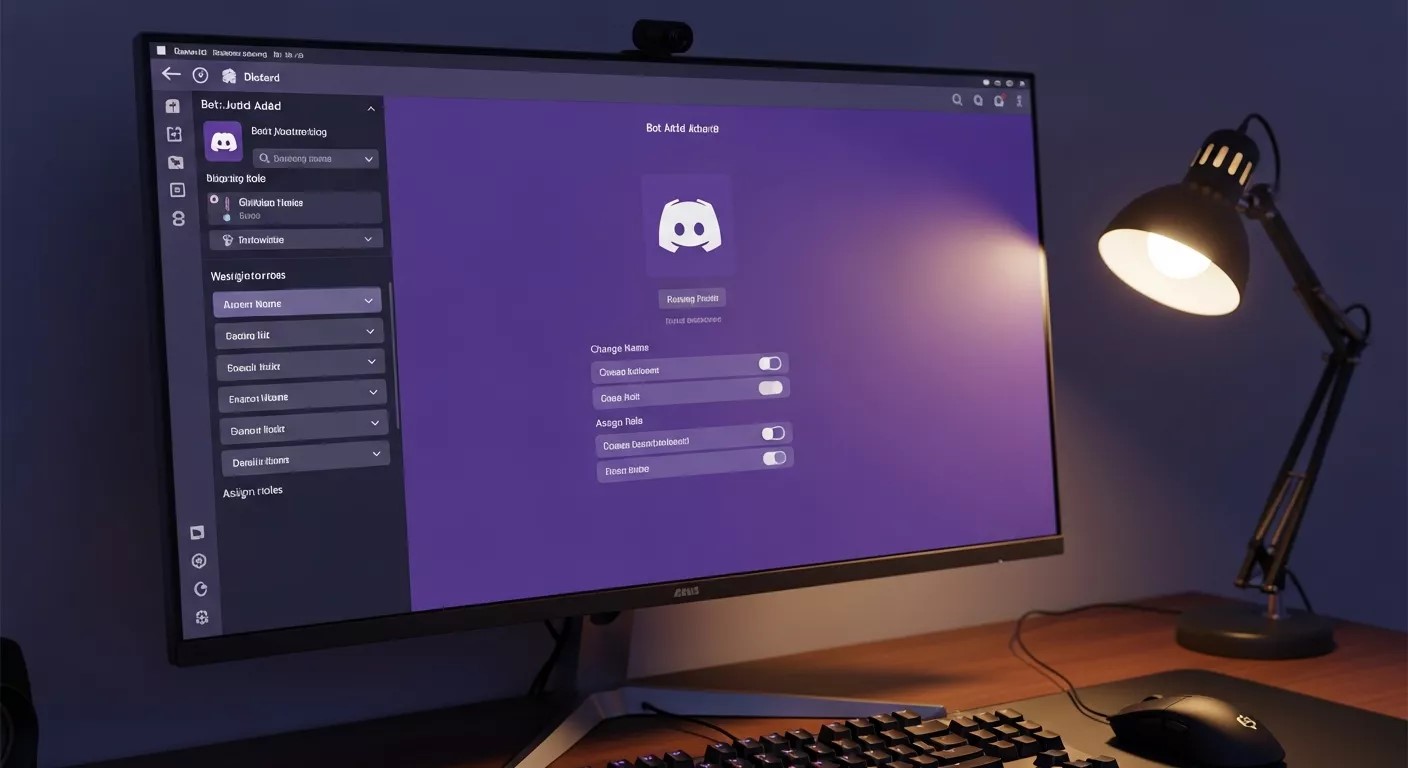
After you add bot to Discord chat, refine where it can operate.
Channel-Level Permission Control
Discord allows per-channel permissions. You can:
-
Allow bot access in support channels
-
Restrict bot usage in private chats
-
Create bot-only channels for commands
This keeps conversations clean and focused.
Commands and Interaction Basics
Bots respond to commands, triggers, or events.
Common Interaction Models
-
Prefix commands (!help)
-
Slash commands (/help)
-
Automated triggers (keywords, events)
Slash commands are increasingly preferred because they are discoverable and user-friendly.
Customization After You Add Bot to Discord Chat
Out-of-the-box bots are useful, but customization unlocks real value.
Guide to Custom Chatbot Development
Custom bots allow tailored workflows, unique commands, and deeper integration. A Guide to Custom Chatbot Development helps server owners move beyond generic functionality toward purpose-built automation.
Custom development is ideal for:
-
Brand communities
-
Educational servers
-
SaaS support channels
Designing Better Bot Conversations
A bot’s effectiveness depends on how it communicates.
How to Design Chatbot UX
Poorly designed bots frustrate users. How to Design Chatbot UX focuses on clarity, tone, and conversational flow.
Key principles:
-
Short responses
-
Clear next steps
-
Friendly but professional tone
-
Graceful error handling
Good UX design ensures users enjoy interacting with bots instead of avoiding them.
Programming Options for Discord Bots
For advanced use cases, developers often build bots from scratch.
Create Java Web Chatbots
Java remains a strong option for enterprise-grade bots. When developers Create Java Web Chatbots, they benefit from scalability, security, and mature frameworks.
Java-based bots are ideal for:
-
High-traffic servers
-
Complex logic
-
Integration with enterprise systems
Other popular languages include JavaScript (Node.js) and Python.
Multilingual Discord Communities
Discord is global. Language barriers reduce engagement.
Build Multilingual Chatbots for Global Markets
When you Build Multilingual Chatbots for Global Markets, you ensure inclusivity. Language detection, translation APIs, and localized responses make international communities feel welcome.
Multilingual bots increase retention and participation across regions.
Moderation and Community Safety
One of the strongest reasons to add bot to Discord chat is moderation.
Automated Rule Enforcement
Bots can:
-
Detect spam
-
Filter offensive language
-
Auto-timeout offenders
-
Log incidents
This creates consistent enforcement without bias.
Data Privacy and Ethical Considerations

Bots interact with user data, even if indirectly.
Responsible Data Handling
When you add bot to Discord chat, ensure:
-
Minimal data storage
-
Clear logging policies
-
Secure hosting
-
Compliance with platform rules
Trust drives engagement. Once lost, it is difficult to rebuild.
Measuring Bot Effectiveness
Adding a bot is not the end of the process.
Performance Indicators
-
Command usage frequency
-
Response accuracy
-
User feedback
-
Reduced moderator workload
Analytics help refine bot behavior over time.
Scaling as Your Server Grows
As membership increases, bot responsibilities expand.
Load Management
Well-built bots handle spikes without lag. Efficient architecture ensures performance remains stable during peak activity.
Integration With External Tools
Advanced bots integrate with:
-
CRMs
-
Support systems
-
Notification platforms
-
Analytics dashboards
This transforms Discord from a chat app into an operational hub.
Security Best Practices After Adding a Bot
Security is ongoing, not one-time.
Token Protection
Never expose bot tokens publicly. Rotate credentials if compromised.
Monitoring Permissions
Regularly audit bot permissions to avoid unnecessary access.
Voice and Future Interaction Models
Text is no longer the only interface.
Voice-enabled bots are emerging, allowing:
-
Voice commands
-
Audio moderation
-
Interactive voice channels
As Discord evolves, bots will become more multimodal.
Common Mistakes to Avoid
-
Adding too many bots
-
Overlapping functionality
-
Ignoring UX
-
Granting excessive permissions
-
Failing to monitor performance
Strategic restraint improves long-term stability.
Psychological Impact of Automated Chats
Users anthropomorphize bots. Tone, response time, and clarity influence trust.
When you add bot to Discord chat thoughtfully, automation feels supportive rather than intrusive.
Long-Term Value of Discord Bots
Bots do more than reduce workload. They:
-
Shape culture
-
Improve consistency
-
Enhance engagement
-
Enable scale
Servers that treat bots as strategic assets outperform those using them casually.
Continuous Improvement Mindset
Discord ecosystems change. User behavior evolves. Bots must adapt.
Regular updates, feedback loops, and UX refinements ensure your decision to add bot to Discord chat continues delivering value over time.
Common Use Cases After You Add Bot to Discord Chat
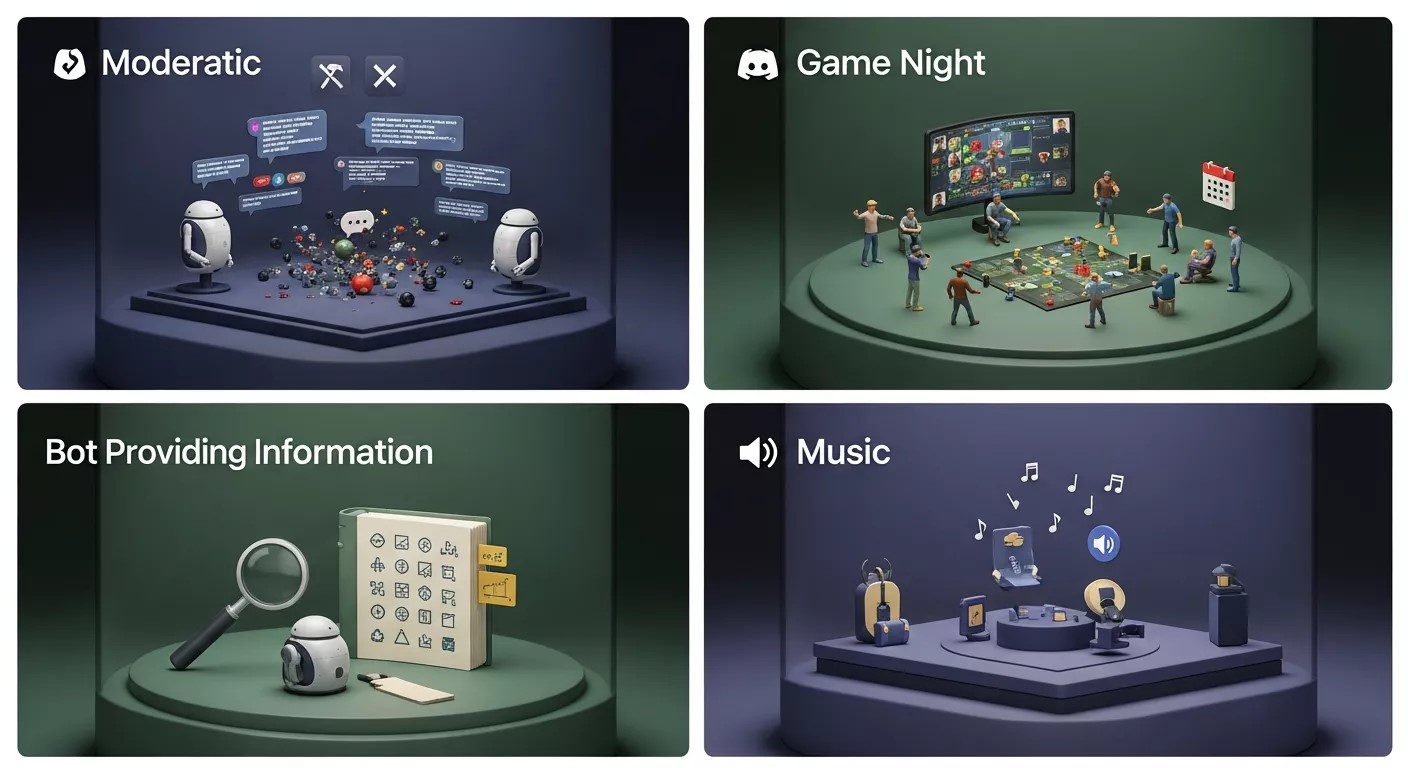
When communities decide to add bot to Discord chat, the motivation usually goes beyond simple automation. Bots quickly become multi-purpose tools that shape how members interact, learn rules, and engage with content. Understanding these use cases helps server owners design better experiences from the beginning.
One of the most common use cases is moderation. After you add bot to Discord chat, automated moderation tools can monitor message frequency, detect spam patterns, and enforce community guidelines consistently. This reduces conflict and creates a safer environment without constant human intervention.
Another key use case is engagement management. Bots post welcome messages, run polls, host mini-games, and trigger reminders. These interactions keep members active and reduce the silent-drop-off problem common in large Discord servers. Over time, communities that add bot to Discord chat for engagement purposes see higher retention and participation rates.
Support automation is also growing rapidly. Many technical, gaming, and SaaS communities add bot to Discord chat to answer repeated questions instantly. This reduces moderator workload while ensuring users receive accurate information without delay.
Permission Strategy for Long-Term Stability
Many problems arise not from adding bots, but from how permissions are handled afterward. When you add bot to Discord chat, permission design becomes a long-term governance decision rather than a one-time setup task.
Granting excessive permissions may seem convenient, but it increases security risks. Bots should only access the channels and actions they truly need. A moderation bot may require message management permissions, while an engagement bot may only need to read and send messages.
Channel-level permissions are especially powerful. Even after you add bot to Discord chat, you can isolate bot activity to specific areas. This keeps discussions clean and prevents users from feeling overwhelmed by automated messages.
From a psychological standpoint, visible control builds trust. When members see that bots behave predictably and respectfully, they are more likely to engage naturally rather than resist automation.
How Add Bot to Discord Chat Impacts Community Psychology
Automation affects human behavior more than most admins realize. When you add bot to Discord chat, you are introducing a non-human participant into social space, and users subconsciously respond to it.
Predictability is one of the strongest psychological benefits. Bots respond instantly, consistently, and without bias. This reduces anxiety, especially in support or rule-enforcement situations. Users feel safer asking questions when responses are structured and immediate.
Tone also matters. Communities that add bot to Discord chat with friendly, human-like responses often experience higher engagement than those using robotic or overly technical language. Conversational design directly influences how welcoming the server feels.
Over time, bots help shape norms. Automated reminders reinforce rules, welcome flows encourage introductions, and reaction-based systems guide behavior without confrontation. This subtle influence is one reason many large communities rely heavily on bots.
Troubleshooting Issues After You Add Bot to Discord Chat
Even well-configured bots may face issues after deployment. Knowing how to troubleshoot ensures smoother operation.
A common problem is command failure. This usually happens due to missing permissions or incorrect command scope. After you add bot to Discord chat, always test commands across multiple channels to ensure consistency.
Another issue is message overload. Too many automated responses can frustrate users. If engagement drops after you add bot to Discord chat, review how frequently the bot speaks and adjust triggers accordingly.
Latency can also appear as servers grow. Bots hosted on limited infrastructure may respond slowly during peak usage. Monitoring performance metrics helps identify when upgrades are necessary.
Troubleshooting should be proactive. Regular audits keep automation helpful rather than disruptive.
Comparing Built-In Bots vs Custom Bots
Not all bots are created with the same philosophy. When deciding how to add bot to Discord chat, server owners often choose between pre-built solutions and custom development.
Pre-built bots are easy to deploy and ideal for general use cases. They work well for moderation, music, and basic engagement. For many communities, simply adding a trusted third-party bot to Discord chat is enough.
Custom bots, however, offer deeper control. Communities with unique workflows or branded experiences often add bot to Discord chat using custom logic. This approach allows tighter integration with external systems, databases, and analytics tools.
The choice depends on scale, budget, and long-term vision. Both approaches benefit from clear intent and structured design.
Long-Term Maintenance After You Add Bot to Discord Chat
Adding a bot is not the final step it is the beginning of an ongoing process. Communities that successfully add bot to Discord chat treat maintenance as part of regular server management.
Bots require updates as Discord APIs evolve. Permissions, commands, and integrations should be reviewed periodically to avoid failures. Ignoring maintenance can turn helpful automation into a liability.
Community feedback is equally important. Users often reveal friction points through complaints or disengagement. Listening to these signals helps refine how bots interact inside chats.
When maintained properly, bots grow alongside the community. Their value compounds over time rather than diminishing.
Strategic Expansion Through Automation
Once the basics are stable, automation can expand further. Many communities that add bot to Discord chat eventually integrate analytics, onboarding funnels, and event automation.
Bots can track engagement trends, identify inactive members, and support community growth strategies. This turns Discord from a casual chat space into a structured digital ecosystem.
At this stage, adding a bot to Discord chat is no longer just a technical task it becomes part of strategic community design.
Conclusion
Adding automation to Discord is no longer optional for growing communities. When you add bot to Discord chat with clear intent, thoughtful permissions, and user-focused design, bots become reliable partners that enhance engagement, reduce moderation effort, and support long-term community stability.
Frequently Asked Questions (FAQ)
What does it mean to add a bot to Discord chat?
It means connecting an automated application to a Discord server so it can respond to messages, manage tasks, and assist users inside chat channels.
Do I need technical skills to add a bot to Discord chat?
Basic setup does not require coding. Most bots can be added using an invite link and simple permission settings. Custom bots may require development knowledge.
Can a bot be limited to specific Discord channels?
Yes. Channel-level permissions allow bots to operate only in selected chats, keeping conversations organized and reducing unnecessary automation.
Is it safe to add a bot to Discord chat?
It is safe when bots are trusted, permissions are restricted, and tokens are kept secure. Avoid granting administrator access unless absolutely necessary.
How many bots should a Discord server use?
Quality matters more than quantity. Using a few well-configured bots is more effective than adding many bots with overlapping features.
Can bots be removed or changed later?
Yes. Bots can be removed, replaced, or reconfigured at any time without affecting existing chat history or server structure.



How Intelligent Chatbots Drive Better Customer Engagement
How Chatbot Technology Helps Automate Customer Interactions
How Automated Responses Improve Customer Support Efficiency
Live Chat Automation Best Practices to Improve Customer Service