
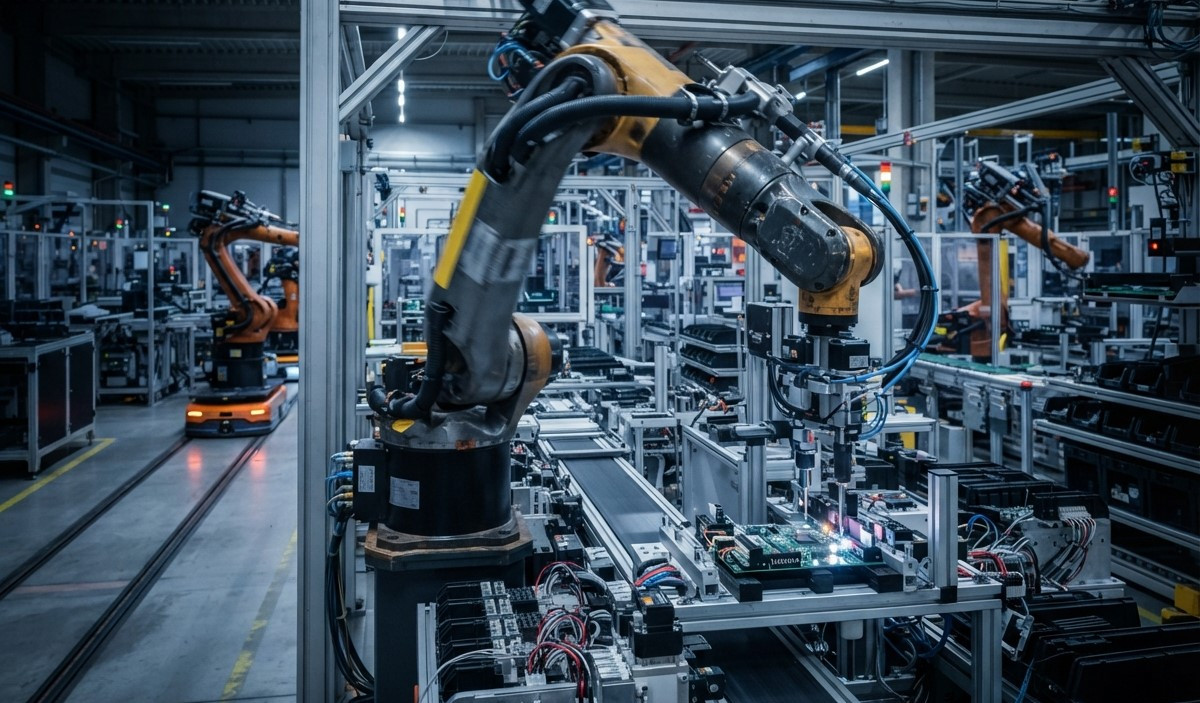
Automated responses are transforming customer support by helping businesses answer common questions quickly, reduce repetitive tasks, and improve customer satisfaction. Instead of requiring support agents to respond manually to every message, automated systems can provide instant replies, share helpful information, and guide customers toward the right solution.
With the help of chatbot automation, virtual assistants, and AI chatbots, businesses can manage a higher volume of customer inquiries without increasing operational pressure. When properly planned, automated responses do not replace human support. They improve the entire support process by allowing agents to focus on complex issues that require empathy, judgment, and personal attention.
What Are Automated Responses?
Automated responses are pre-written or AI-generated messages that are delivered automatically when a customer performs a specific action or asks a common question. These responses may appear in live chat, email, social media messaging, websites, mobile applications, and customer support portals.
For example, a customer may receive an instant message after submitting a support request. The message can confirm that the request was received, provide an estimated response time, or explain the next steps. Automated responses can also answer frequently asked questions about pricing, shipping, account access, order status, and service availability.
Common Types of Automated Responses
Businesses use different types of automated responses based on customer needs and communication channels. Welcome messages introduce visitors to a support chat, while acknowledgment messages confirm that a request has been received. FAQ responses provide quick answers to common questions.
Other examples include appointment reminders, order confirmations, password reset instructions, payment notifications, and follow-up messages. These responses help create a consistent customer experience while reducing the amount of manual work required from support teams.
How Automated Responses Improve Customer Support Efficiency
Faster Response Times
Customers expect quick answers, especially when they are facing an urgent issue. Waiting several hours for a basic response can create frustration and reduce trust in a business.
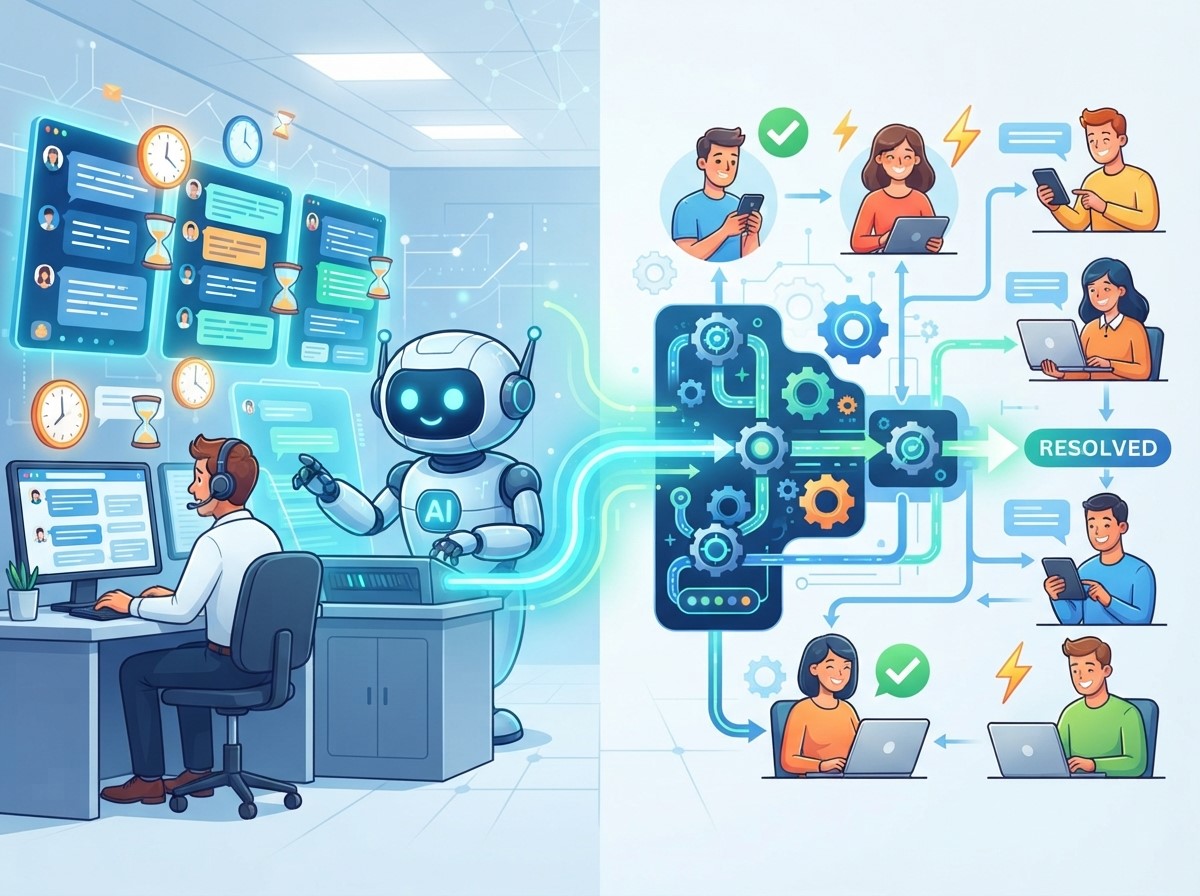
Automated responses provide immediate communication. A customer can receive an answer to a common question within seconds instead of waiting for an available agent. Even when a problem requires human assistance, an automated message can confirm that the request has been received and explain when the customer should expect a detailed reply.
Reduced Workload for Support Agents
Support agents often spend a large part of their day answering the same questions repeatedly. Questions about business hours, product availability, delivery timelines, refund policies, and account access may not require individual investigation.
Automation handles these repetitive conversations so agents can focus on more complicated requests. This reduces workload, improves productivity, and helps support teams use their time more effectively. Agents can spend more attention on technical problems, complaints, and situations that require personal communication.
Consistent Customer Communication
Inconsistent responses can create confusion. When different agents provide different information about the same policy, customers may lose confidence in the business.
Automated responses help maintain consistency by using approved messages, updated knowledge bases, and predefined communication rules. Customers receive the same essential information regardless of the time, channel, or support representative involved. This improves brand reliability and reduces the risk of communication errors.
24/7 Customer Assistance
Customer questions do not always arrive during business hours. Visitors may need help late at night, during weekends, or on public holidays.
Automated responses allow businesses to provide basic support around the clock. Customers can receive information about products, services, order processes, and support availability even when human agents are offline. This does not mean every issue must be solved automatically. It means customers can receive useful guidance immediately instead of facing a silent support channel.
The Role of Chatbot Automation in Customer Support
Chatbot automation is one of the most common ways businesses use automated responses. Chatbots can communicate with customers through websites, messaging platforms, and applications. They are designed to recognize common questions and provide relevant answers based on predefined rules or connected knowledge sources.
Handling Frequently Asked Questions
Chatbot automation is especially useful for repetitive questions. A chatbot can answer questions about shipping fees, product features, service plans, return policies, and payment methods. This reduces the number of basic inquiries that reach human agents.
A well-designed chatbot should use simple language and provide direct answers. If a question is outside its knowledge, it should clearly explain the limitation and offer a way to contact a support representative.
Guiding Customers Through Support Processes
Chatbots can also guide customers through step-by-step processes. For example, a chatbot may help a user track an order, reset a password, select a service category, or submit a complaint.
This structured guidance makes the support process easier to follow. Customers do not need to search through multiple pages or explain the same issue repeatedly. The chatbot can collect important details before transferring the conversation to an agent.
Routing Complex Issues
Not every customer problem should be handled by automation. Some issues involve billing disputes, technical failures, sensitive account information, or emotional complaints.
Chatbot automation can improve efficiency by identifying these issues and routing them to the correct department. It can collect the customer’s name, order number, issue type, and previous conversation details. This helps the human agent understand the situation faster and avoid asking unnecessary questions.
How Virtual Assistants Support Customer Service Teams

Personalized Assistance
Modern virtual assistants can use customer information, conversation history, and account details to provide more relevant responses. For example, a virtual assistant may explain the status of a customer’s order or remind the customer about an upcoming appointment.
Personalization should always be based on accurate information and appropriate privacy controls. Businesses should avoid displaying sensitive details unless the customer has been properly authenticated.
Better Self-Service Options
Virtual assistants make self-service easier by helping customers find answers without contacting a support agent. They can recommend relevant help articles, explain product instructions, and guide users through troubleshooting steps.
A strong self-service system should be easy to navigate. Customers should not have to repeat the same question several times or choose from confusing menu options. Clear language and simple navigation are essential for a positive experience.
Support for Internal Teams
Virtual assistants can also help support agents internally. They may suggest answers, summarize previous conversations, locate knowledge-base articles, or provide troubleshooting instructions.
This type of assistance helps agents respond faster and reduces the time spent searching for information. It also supports new employees by giving them access to approved guidance during customer conversations.
The Impact of AI Chatbots on Support Efficiency
AI chatbots use artificial intelligence and natural language processing to understand customer questions and generate more flexible responses. Unlike basic rule-based systems, AI chatbots can often recognize different ways of asking the same question.
Understanding Natural Customer Language
Customers rarely use identical wording. One person may ask, “Where is my package?” while another may write, “Can you check my delivery status?” AI chatbots can identify that both questions may require the same information.
This ability improves the customer experience because users can communicate naturally. However, AI chatbots should be trained and monitored to ensure that their answers remain accurate and relevant.
Managing Larger Conversation Volumes
During product launches, seasonal promotions, service interruptions, or busy shopping periods, support requests may increase suddenly. AI chatbots can handle many basic conversations simultaneously.
This reduces pressure on human agents and helps prevent long queues. Businesses can use automation to manage initial questions while directing complex or urgent cases to available support staff.
Improving Responses Through Data
AI chatbots can be improved by analyzing conversation data. Businesses can identify repeated questions, misunderstood messages, incomplete answers, and common customer complaints.
These insights can help support teams update their knowledge base, improve website content, and create better automated responses. Regular review is important because inaccurate or outdated information can damage customer trust.
Best Practices for Using Automated Responses
Automated responses are most effective when they are helpful, accurate, and easy to understand. Businesses should design automation around customer needs rather than using it only to reduce support costs.
Use Clear and Human-Friendly Language
Automated messages should sound natural and professional. Avoid overly technical language, long explanations, and confusing instructions. Customers should immediately understand what the message means and what action they should take next.
A friendly tone can make automated communication feel more supportive. However, businesses should not pretend that a customer is speaking with a human when the interaction is fully automated.
Provide a Human Support Option
Customers should always have a clear way to reach a human agent when automation cannot solve their problem. A chatbot that refuses to transfer a conversation can create frustration.
The transfer process should include the conversation history and collected information. This allows the agent to continue the discussion without making the customer repeat everything.
Keep Information Updated
Automated responses must be reviewed regularly. Product prices, delivery policies, refund rules, business hours, and service terms can change over time.
Outdated information can lead to complaints and lost sales. Businesses should assign responsibility for reviewing automated messages and updating connected knowledge sources.
Monitor Performance
Businesses should track response accuracy, customer satisfaction, resolution rates, transfer rates, and average handling time. These metrics help identify whether automation is actually improving support efficiency.
If customers frequently request human assistance after receiving an automated message, the response may be unclear or incomplete. Performance monitoring allows teams to make continuous improvements.
Challenges of Automated Responses
Although automated responses offer many benefits, they also have limitations. Poorly designed systems may provide irrelevant answers, misunderstand customer intent, or make it difficult to contact a human agent. Some customers may prefer personal communication, especially when dealing with complaints or sensitive issues. Automation should therefore be used carefully and combined with human support.
Privacy and security are also important. Businesses must protect customer information, limit access to sensitive data, and follow applicable privacy requirements. AI-generated responses should be reviewed for accuracy, fairness, and inappropriate recommendations. The best approach is a balanced support model where automation handles simple and repetitive tasks while human agents manage complex, sensitive, and high-value conversations.
Measuring the Success of Automated Customer Support
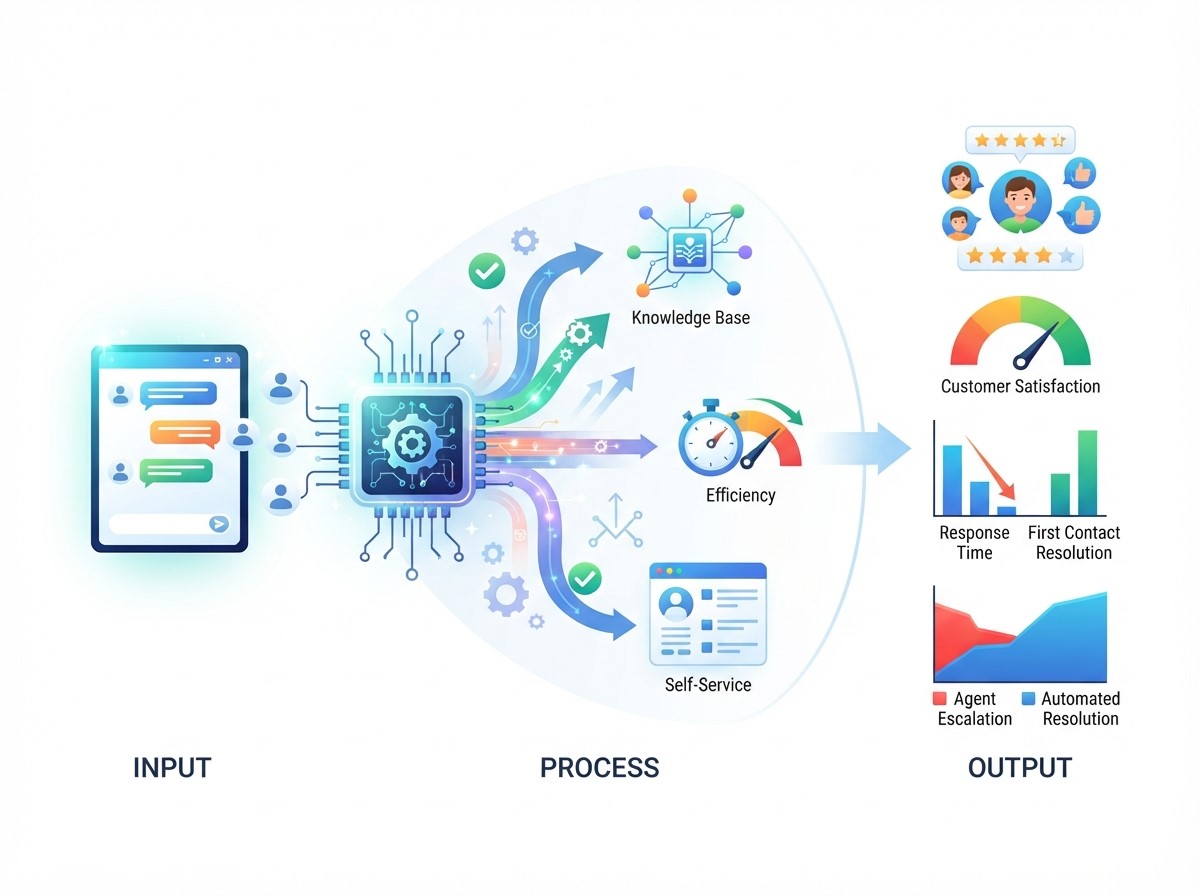
Important metrics include average first response time, customer satisfaction score, first-contact resolution, number of inquiries handled automatically, human transfer rate, and average support cost. Businesses should also review customer feedback and conversation transcripts. Quantitative data shows what is happening, while qualitative feedback helps explain why it is happening. Combining both types of information creates a clearer view of automation performance.
Conclusion
Automated responses help businesses improve customer support by delivering faster communication, reducing repetitive work, and providing consistent assistance. Chatbot automation, virtual assistants, and AI chatbots make it easier to manage common inquiries, guide customers through self-service processes, and support human agents.
However, successful automation requires more than installing a chatbot. Businesses must use clear language, maintain accurate information, provide human support options, protect customer data, and monitor performance regularly. When automation and human expertise work together, customer support becomes faster, more organized, and more efficient without losing the personal service customers value.
Frequently Asked Questions
1. What are automated responses in customer support?
Automated responses are messages delivered automatically when customers ask questions, submit requests, or complete specific actions. They provide instant information and reduce the need for manual replies.
2. How do automated responses improve customer service?
They improve customer service by reducing response times, providing 24/7 assistance, answering repetitive questions, and helping customers find information quickly.
3. What is chatbot automation?
Chatbot automation uses chatbots to answer customer questions, guide users through processes, and route complex issues to human support agents.
4. How do virtual assistants help support teams?
Virtual assistants help customers find information, complete tasks, access self-service options, and receive personalized guidance. They can also support agents with information and response suggestions.
5. What are AI chatbots used for?
AI chatbots are used for answering questions, understanding natural language, assisting with orders, providing troubleshooting guidance, and managing high volumes of customer conversations.
6. Can automated responses replace human customer support?
Automated responses should not completely replace human support. They are most effective for repetitive and simple questions, while human agents handle complex, sensitive, or emotional issues.
7. Are automated responses available 24/7?
Yes, automated responses can operate 24/7 when the system is properly configured. They can provide basic information even when human support agents are unavailable.
8. How can businesses make automated responses more effective?
Businesses should use clear language, update information regularly, provide human transfer options, personalize messages when appropriate, and monitor customer feedback.
9. What are the main disadvantages of automated responses?
Common disadvantages include inaccurate answers, limited understanding, impersonal communication, privacy risks, and difficulty handling unusual or complex customer problems.
10. How can businesses measure automated support performance?
Businesses can measure performance through response time, customer satisfaction, resolution rate, automation rate, transfer rate, support costs, and customer feedback.

Chatbot Data Privacy Strategies to Strengthen Customer Trust
AI Chatbot Security Strategies to Protect Customer Information
How Omnichannel Chatbot Solutions Drive Customer Engagement
AI Chatbot Personalization for Smarter Customer Interactions