

Chatbot UI Design focuses on creating intuitive, human-centered conversational interfaces that reduce friction, build trust, and sustain engagement by aligning visual structure, language, accessibility, and psychology with modern user intent.
Why Chatbot UI Design Matters More Than Ever
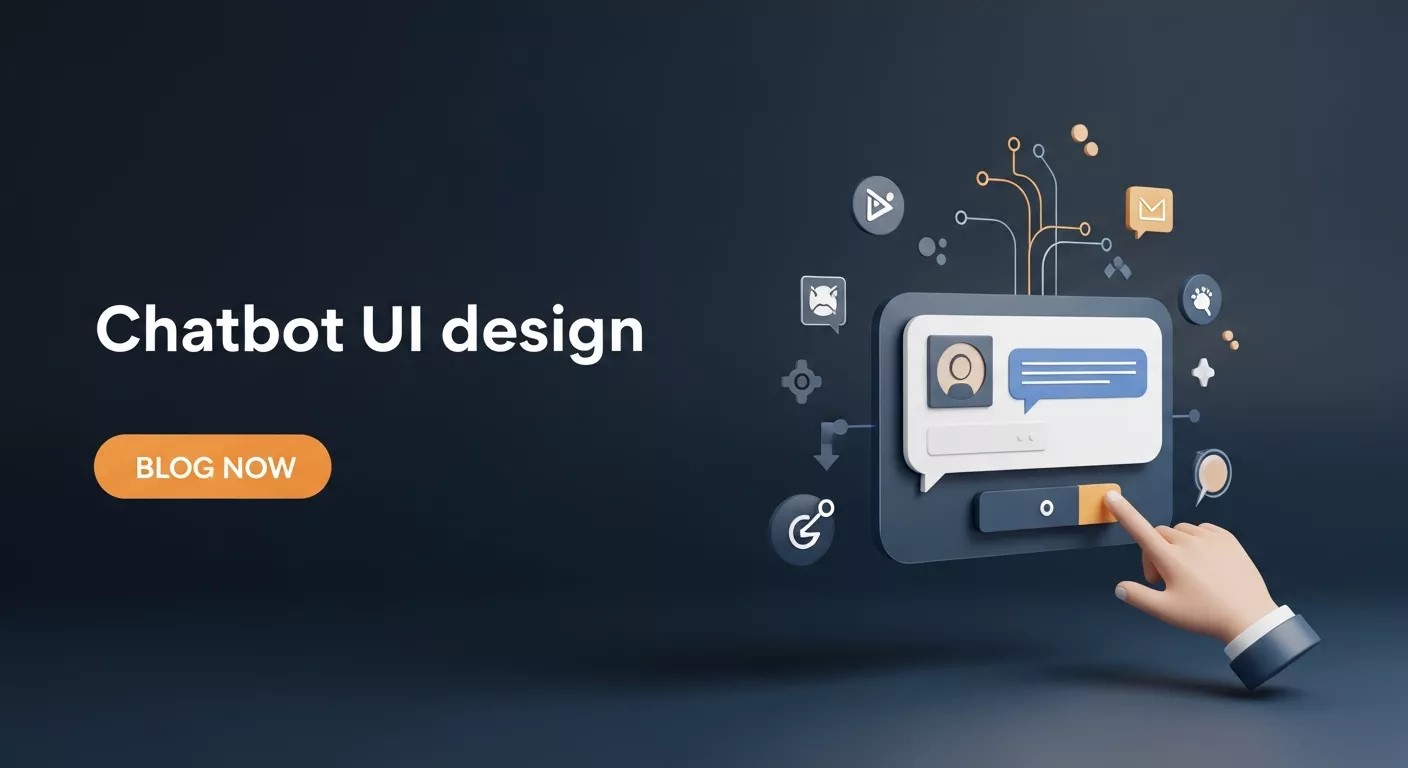
In today’s experience-driven digital economy, Chatbot UI Design has become one of the most critical factors determining whether users continue a conversation or abandon it within seconds. As users interact with dozens of digital interfaces daily, their tolerance for friction, confusion, and poor usability has dropped dramatically. A chatbot is no longer judged only by how intelligent its backend is, but by how human, intuitive, and emotionally comfortable the interface feels.
Modern users expect chatbots to understand context, respond naturally, and guide them without effort. This expectation has elevated Chatbot UI Design from a visual concern to a psychological and behavioral science. A well-designed chatbot interface builds trust, reduces cognitive load, and subtly nudges users toward meaningful engagement.
In this in-depth guide, we explore how Chatbot UI Design aligns with present-time user psychology, intent-based interaction models, and new-generation UX principles that drive real engagement instead of superficial conversations.
Understanding User Psychology Behind Chatbot Interactions
Before touching colors, layouts, or message bubbles, effective Chatbot UI Design starts with understanding how humans think, feel, and decide during conversations. Unlike traditional interfaces, chatbots simulate dialogue, triggering emotional and social expectations.
Users subconsciously assign personality traits to chatbots. If the interface feels cold, robotic, or overly complex, trust erodes instantly. On the other hand, a conversational layout that feels familiar and predictable lowers anxiety and increases response rates. This is why Chatbot UI Design must align with human conversational norms.
Modern UX research highlights several psychological triggers:
- Cognitive ease: Users prefer interfaces that require minimal thinking
- Social reciprocity: People respond better when the chatbot feels responsive and attentive
- Predictability: Clear conversational structure reduces uncertainty
- Emotional safety: Friendly tone and visual cues reduce hesitation
A successful Chatbot UI Design respects these triggers and transforms interaction into a low-effort, high-comfort experience.
Conversational Flow as the Foundation of Chatbot UI Design
At the heart of engaging Chatbot UI Design lies conversational flow. Users should never feel lost, stuck, or unsure about what to do next. Each message, button, or prompt should naturally lead to the next step.
Conversation-driven UI differs from traditional navigation-based interfaces. Instead of menus and dashboards, users move forward through dialogue. This makes clarity and sequencing essential components of Chatbot UI Design.
Well-structured flows include:
- Clear opening messages that set expectations
- Logical progression of questions and responses
- Context-aware follow-ups
- Graceful error recovery paths
Designing conversation flows is not just about logic; it’s about empathy. A chatbot should guide users the way a helpful human would, without overwhelming them with choices or jargon. This is where many chatbot experiences fail despite advanced AI.
Visual Hierarchy and Layout in Chatbot Interfaces
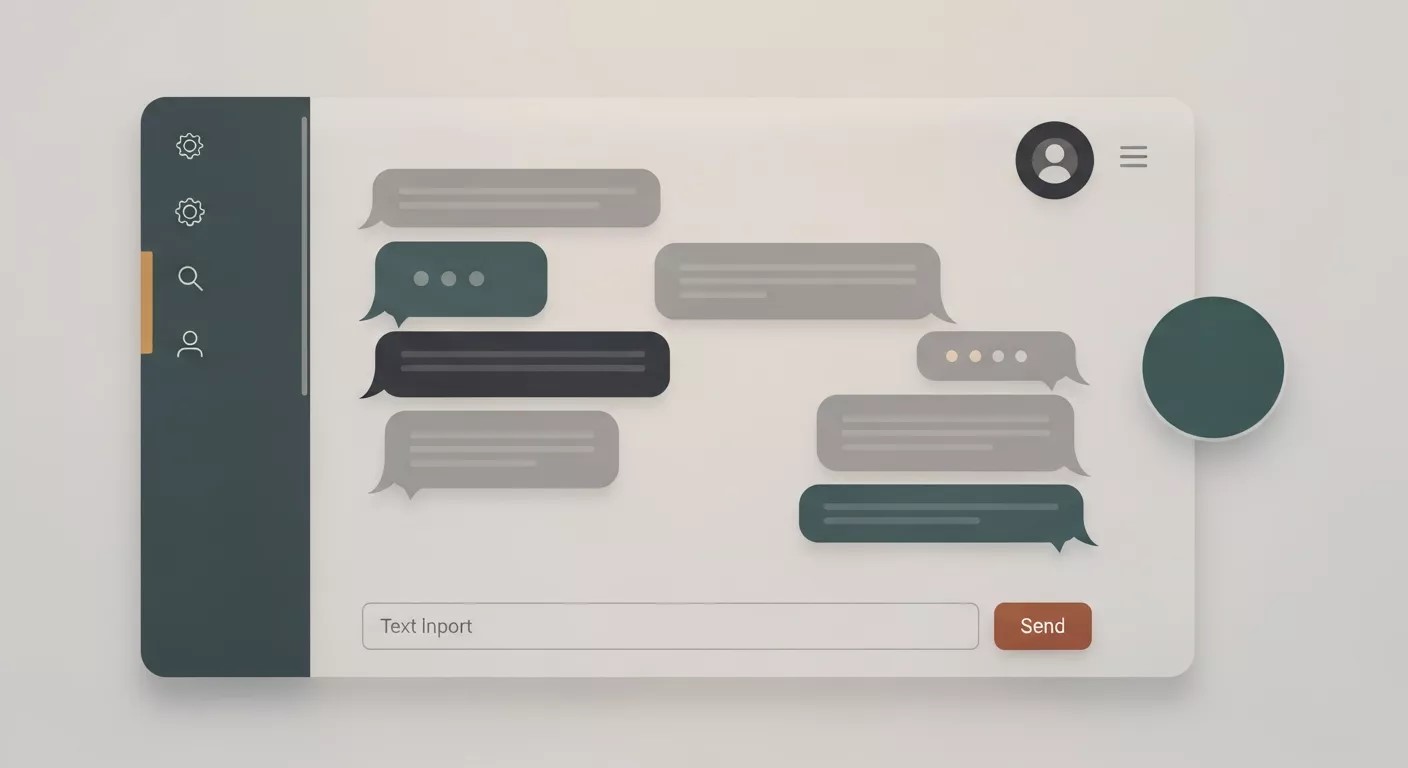
Visual clarity plays a silent but powerful role in Chatbot UI Design. Even in text-based interfaces, spacing, alignment, and hierarchy influence how users process information.
Modern chatbot layouts prioritize:
- Clean message bubbles with readable typography
- Clear distinction between user and bot messages
- Strategic use of whitespace
- Subtle animations that indicate activity
A cluttered interface increases cognitive load and reduces comprehension. In contrast, a minimalist layout allows users to focus on the conversation itself. Effective Chatbot UI Design uses visuals not to impress, but to simplify.
Micro-interactions like typing indicators or message delivery animations also reassure users that the system is responsive. These small details significantly improve perceived intelligence and trustworthiness.
Tone, Language, and Personality Design
Language is the soul of Chatbot UI Design. Users don’t just read chatbot messages they interpret intent behind them. A mismatch between tone and user expectation can break engagement instantly.
New-generation chatbot interfaces adopt adaptive language strategies:
- Friendly but professional tone
- Short, conversational sentences
- Context-aware phrasing
- Avoidance of technical jargon
Personality should be consistent throughout the interaction. Whether the chatbot is playful, neutral, or authoritative, consistency builds familiarity. Strong Chatbot UI Design treats personality as a design asset, not an afterthought.
This is also where emotional intelligence becomes critical. A chatbot that acknowledges frustration or confusion feels more human, increasing user patience and satisfaction.
How to Design Chatbot UX for Effortless Interaction
Designing an engaging chatbot experience requires more than aesthetics. How to Design Chatbot UX effectively involves aligning interface elements with user intent at every step of the journey.
Good UX-focused Chatbot UI Design ensures:
- Users always know what the chatbot can and cannot do
- Input methods are simple and forgiving
- Suggestions guide users without forcing decisions
- Exit paths are clear and respectful
Modern users value autonomy. They want help, not control. This is why adaptive response suggestions and quick-reply buttons outperform rigid decision trees. When users feel guided rather than constrained, engagement rises naturally.
Accessibility as a Core Principle, Not an Add-On
Inclusive design is no longer optional. Chatbot UI Design must account for diverse abilities, devices, and contexts. Accessibility-focused chatbots reach wider audiences while improving overall usability.
AI Chatbots for Accessibility focus on:
- Screen reader compatibility
- High-contrast visual elements
- Keyboard-friendly navigation
- Simple language alternatives
Designing for accessibility often improves usability for everyone. Clear layouts, readable text, and logical flows benefit all users, not just those with disabilities. Ethical and effective Chatbot UI Design recognizes accessibility as a fundamental responsibility.
Multimodal Interaction and Modern User Expectations
Today’s users interact across devices, platforms, and formats. Modern Chatbot UI Design embraces multimodal interaction, blending text, voice, visuals, and interactive elements.
Examples include:
- Voice-enabled chat interfaces
- Image-based responses
- Interactive cards and sliders
- Contextual buttons
These elements reduce typing effort and accelerate decision-making. When implemented thoughtfully, multimodal design enhances clarity without overwhelming users. The goal of Chatbot UI Design is not complexity, but flexibility.
Engagement Through Narrative and Context

Engagement deepens when users feel part of a story rather than a transaction. This is where AI-Powered Storytelling enters modern chatbot experiences.
Narrative-driven Chatbot UI Design uses:
- Contextual callbacks to previous interactions
- Progressive disclosure of information
- Personalized responses based on behavior
When a chatbot remembers preferences or references earlier choices, users perceive continuity and intelligence. This emotional resonance turns functional conversations into memorable experiences.
Designing Chatbots That Sustain Long-Term Engagement
Short-term interaction is easy. Long-term engagement requires trust, consistency, and value. To Make Chatbot That Engage Your Audience, designers must think beyond single-session usability.
Sustainable Chatbot UI Design focuses on:
- Clear value exchange
- Respect for user time and attention
- Continuous learning and refinement
- Transparent data handling cues
Users return to chatbots that feel helpful, respectful, and reliable. Engagement grows when the interface evolves with user behavior instead of remaining static.
Performance, Feedback, and Continuous Optimization
No Chatbot UI Design is perfect at launch. Continuous optimization based on real user behavior is essential. Interface performance, response timing, and error handling directly impact engagement.
Effective optimization strategies include:
- Monitoring conversation drop-off points
- A/B testing message formats
- Refining visual elements based on interaction data
- Adjusting flows to reduce friction
Feedback loops allow designers to align chatbot experiences with changing user expectations. In a fast-evolving digital environment, adaptability is the true strength of modern Chatbot UI Design.
Error Handling and Recovery-Centered UI Design
One of the most overlooked areas in Chatbot UI Design is how the interface behaves when things go wrong. Users make typos, ask unclear questions, change intent mid-conversation, or provide incomplete information. An engaging chatbot interface does not punish these behaviors; it absorbs them gracefully.
Recovery-focused Chatbot UI Design includes:
- Friendly clarification prompts instead of error messages
- Visual cues that indicate misunderstanding without blame
- Suggested corrections or examples users can tap
- Seamless return to the main conversational path
When users feel safe making mistakes, they explore more freely. This psychological safety dramatically increases engagement duration and task completion rates. Error handling is not a backend concern alone—it is a front-facing UX responsibility.
Microcopy, Labels, and Subtle Persuasion
Microcopy refers to the small pieces of text users often don’t consciously notice—but emotionally react to. In Chatbot UI Design, microcopy appears in placeholders, button labels, loading messages, and confirmations.
Effective microcopy:
- Reduces uncertainty during pauses
- Reinforces trust and clarity
- Gently nudges users toward the next step
For example, a simple message like “Almost there—just one more thing” can significantly reduce abandonment. Thoughtful wording transforms neutral interfaces into supportive companions. In modern Chatbot UI Design, persuasion is subtle, ethical, and user-centered.
Personalization Without Overstepping Boundaries
Personalization is a powerful engagement driver, but it must be handled with restraint. Overly intrusive personalization can feel unsettling, while under-personalization feels generic. Balanced Chatbot UI Design personalizes interactions based on behavior, not assumptions.
Smart personalization strategies include:
- Remembering preferences explicitly shared by users
- Adjusting tone and response length based on interaction style
- Contextual continuity across sessions
The interface should always signal why it remembers something. Transparency builds trust, and trust sustains long-term engagement. Ethical personalization is a defining trait of mature Chatbot UI Design systems.
Cross-Platform Consistency and Design Systems

Users interact with chatbots across websites, mobile apps, messaging platforms, and internal tools. Consistency across these touchpoints is essential for recognition and trust. Strong Chatbot UI Design relies on cohesive design systems rather than isolated layouts.
Consistency includes:
- Visual identity and spacing rules
- Message structure and tone
- Interaction patterns and feedback cues
A unified experience reduces relearning costs and reinforces brand credibility. As chatbots scale across ecosystems, design systems become the backbone of sustainable Chatbot UI Design.
Data Visualization Inside Chatbot Interfaces
As chatbots handle more complex tasks, presenting information clearly becomes critical. Modern Chatbot UI Design increasingly incorporates lightweight data visualization to enhance understanding.
Examples include:
- Progress indicators for multi-step tasks
- Inline charts or summaries
- Visual comparison cards
These elements help users process information faster than text alone. When integrated smoothly, visualization enhances clarity without breaking conversational flow.
Measuring Engagement Through UI Signals
Engagement is not a vague concept—it can be observed through UI-driven signals. Effective Chatbot UI Design makes engagement measurable by design.
Key indicators include:
- Response latency between messages
- Button vs free-text usage patterns
- Conversation depth and completion rates
By analyzing these signals, designers can refine layouts, prompts, and flows. UI is both the interaction layer and the feedback sensor of chatbot systems.
Ethical Design and User Trust Signals
Trust is fragile in conversational interfaces. Users share information more freely in chat environments, which places ethical responsibility directly on Chatbot UI Design.
Trust-building design elements include:
- Clear data usage indicators
- Consent-based interaction cues
- Non-deceptive language patterns
Interfaces should never manipulate users into actions they don’t understand. Ethical clarity strengthens credibility and long-term engagement.
Scaling Chatbot UI Design With Growing Complexity
As chatbot capabilities expand, interfaces risk becoming bloated. Scalable Chatbot UI Design anticipates growth and manages complexity through progressive disclosure.
This involves:
- Revealing advanced options only when needed
- Grouping related actions visually
- Maintaining simplicity at the surface level
Great chatbot interfaces feel simple even when powerful. This balance defines elite-level Chatbot UI Design execution.
The Future Direction of Chatbot Interface Design
As AI systems become more context-aware and emotionally intelligent, Chatbot UI Design will continue to evolve. Future interfaces will likely feel less like tools and more like collaborators.
Emerging trends include:
- Emotion-sensitive UI responses
- Deeper personalization layers
- Seamless integration across digital ecosystems
- Greater emphasis on ethical and transparent design
The future belongs to chatbot interfaces that respect human psychology while leveraging technological intelligence. Thoughtful Chatbot UI Design will define how users perceive and trust AI-driven experiences in the years ahead.
Conclusion
Effective Chatbot UI Design is no longer about visuals alone; it is a strategic blend of human psychology, conversational clarity, accessibility, and ethical intent. When thoughtfully executed, chatbot interfaces transform AI from a functional tool into a trusted, engaging digital companion that delivers lasting value.
Frequently Asked Questions (FAQ)
What is Chatbot UI Design?
Chatbot UI Design refers to the structure, visual layout, conversational flow, and interaction elements that shape how users experience a chatbot. It focuses on usability, clarity, emotional comfort, and engagement rather than only technical intelligence.
Why is Chatbot UI Design important for user engagement?
Chatbot UI Design directly influences how easily users understand, trust, and continue conversations. A well-designed interface reduces friction, lowers cognitive load, and encourages users to interact longer and more meaningfully.
How does Chatbot UI Design differ from traditional UI design?
Unlike traditional UI, Chatbot UI Design is conversation-driven. Instead of menus and dashboards, users navigate through dialogue, making tone, sequencing, and contextual responses far more important than static layouts.
What role does psychology play in Chatbot UI Design?
Psychology helps designers understand user behavior, emotions, and decision-making patterns. Applying psychological principles allows Chatbot UI Design to feel intuitive, human-like, and emotionally safe for users.
Can Chatbot UI Design improve accessibility?
Yes. Inclusive Chatbot UI Design supports screen readers, simple language, keyboard navigation, and clear visual contrast, making chatbots usable for people with diverse abilities and interaction needs.
How can businesses measure the effectiveness of Chatbot UI Design?
Effectiveness can be measured through engagement metrics such as conversation completion rates, response timing, drop-off points, and user feedback. These signals help refine and optimize the chatbot interface continuously.
Is Chatbot UI Design only about aesthetics?
No. While visuals matter, Chatbot UI Design also includes conversational logic, tone, accessibility, personalization, error handling, and ethical interaction cues that collectively shape user experience.
How often should Chatbot UI Design be updated?
Chatbot UI Design should evolve continuously based on user behavior, feedback, and changing expectations. Regular optimization ensures the interface remains relevant, engaging, and effective over time.




AI Chatbots for CRM: Boost Customer Engagement & Loyalty
Transforming Employee Onboarding with AI Chatbots: A Step-by-Step Guide
Emergency Response Chatbots: Revolutionizing Crisis Management with AI
Revolutionizing Recruitment: How Chatbots Streamline Hiring Processes and Elevate Talent Acquisition