

Effective time management is essential for maintaining productivity, meeting deadlines, and balancing daily responsibilities. However, professionals and businesses often lose valuable time handling repetitive tasks, organizing schedules, answering routine questions, and switching between different applications. An AI virtual assistant can help simplify these activities by automating selected tasks and making everyday workflows more efficient.
AI-powered assistants can support scheduling, reminders, information retrieval, task organization, and communication. Instead of manually managing every small responsibility, users can delegate suitable tasks to digital tools and concentrate on activities that require creativity, decision-making, and personal attention.
What Is an AI Virtual Assistant?
An AI virtual assistant is a software-based tool that helps users complete tasks through text, voice commands, or automated workflows. Depending on its capabilities, it may schedule appointments, create reminders, summarize information, organize tasks, answer questions, and assist with routine communication.
Unlike a simple reminder application, an AI-powered assistant may interpret natural-language instructions and help users complete several connected activities. Its capabilities depend on the underlying technology, available integrations, permissions, and the quality of the information it can access.
How AI Virtual Assistants Work
AI virtual assistants process user requests and determine an appropriate response or action. Some systems rely on predefined commands, while others use artificial intelligence and natural language processing to interpret different ways of expressing the same request.
For example, a user might ask an assistant to summarize a meeting, prepare a task list, or identify available appointment times. The assistant can help organize the information, although actions involving external calendars or business systems may require specific integrations and user permissions.
Why Time Management Matters
Poor time management can lead to missed deadlines, unnecessary interruptions, and difficulty prioritizing important work. When employees spend too much time on routine administration, they have less time available for planning, problem-solving, and productive collaboration.
A structured approach to time management helps people distinguish urgent tasks from important ones. AI assistants can support this process by organizing information, providing reminders, and reducing selected repetitive activities.
How AI Virtual Assistants Save Time

The main benefit is not simply completing tasks faster. It is also reducing the mental effort required to remember small responsibilities and coordinate everyday activities.
Automating Repetitive Tasks
Repetitive tasks often consume time because they must be completed regularly. Examples include preparing routine messages, organizing notes, creating task lists, and answering frequently asked questions.
An AI assistant can help generate drafts, structure information, and automate supported actions. Users should review important outputs before sending or relying on them, especially when accuracy, confidentiality, or business commitments are involved.
Reducing Manual Information Searches
Finding information across documents, messages, and applications can interrupt productive work. AI assistants may help locate relevant information, summarize lengthy content, and organize key points when they have access to appropriate sources.
This can make it easier to prepare for meetings, review project updates, and identify the next steps. However, users should verify important details because automated summaries and answers can occasionally omit context or contain errors.
Improving Scheduling and Calendar Management
Scheduling is a common source of administrative work for professionals and business teams. Coordinating meetings, checking availability, preparing agendas, and remembering appointments can take time away from more important responsibilities.
An AI virtual assistant can support calendar management by helping organize appointments, suggest suitable time slots, prepare reminders, and summarize meeting details. The exact functions depend on the calendar system and permissions connected to the assistant.
Managing Appointments and Reminders
Digital assistants can help users create reminders for meetings, deadlines, follow-ups, and personal responsibilities. Timely notifications reduce the need to remember every commitment independently.
When calendar access is available, some assistants can also help identify scheduling conflicts or organize appointment information. Users should review proposed changes before confirming important meetings or modifying other people’s schedules.
Preparing for Meetings
Meeting preparation often involves reviewing documents, collecting updates, and identifying discussion points. An AI assistant can help summarize relevant materials, draft an agenda, or organize questions before a scheduled meeting.
Preparation can make meetings more focused and reduce time spent searching for information during discussions. Users should confirm that summaries accurately reflect the original materials and include all essential details.
The Role of Chatbot Automation in Time Management
Chatbot automation allows software to handle predefined conversational tasks with limited manual involvement. Businesses can use it to answer common questions, collect information, guide users through processes, and provide standard instructions.
By automating appropriate conversations, organizations can reduce the amount of time employees spend responding to repetitive inquiries. This is especially useful when the same questions appear frequently across customer service, internal support, or administrative workflows.
Handling Routine Inquiries
Employees may receive repeated questions about business hours, service information, appointment procedures, or internal processes. Automated chatbots can provide consistent answers to supported questions without requiring a human response every time.
This helps employees focus on inquiries that need investigation, empathy, or professional judgment. Businesses should keep chatbot information current and provide an accessible route to human assistance when automated responses are insufficient.
Streamlining Everyday Workflows
Chatbot automation can guide users through structured activities such as submitting requests, finding resources, or collecting preliminary information. A well-designed workflow reduces unnecessary steps and makes routine processes easier to follow.
Businesses should select automation opportunities based on actual needs. Automating a poorly designed process may simply make the existing inefficiency happen faster, so workflow improvements should accompany implementation.
How Chatbot Integration Improves Efficiency

Integration can reduce the need to switch between applications and manually transfer information. When systems share relevant data appropriately, users can complete tasks through more connected workflows.
Connecting Productivity Applications
An integrated assistant may help users work with calendars, task managers, documents, or communication platforms. For example, it could help turn meeting notes into a task list or organize information for a follow-up message, depending on the available features.
These connections can reduce repetitive data entry and improve workflow continuity. Businesses should review integration permissions carefully and ensure that employees can access only the information necessary for their responsibilities.
Reducing Application Switching
Frequent switching between applications can interrupt concentration and increase the time required to complete tasks. A connected assistant may provide a central way to request information or initiate supported actions across multiple tools.
Reducing unnecessary switching can make everyday work more manageable. However, integration quality matters: unreliable connections, duplicated records, and confusing workflows can create additional work instead of saving time.
How Intelligent Chatbots Support Faster Decisions
Intelligent chatbots use conversational technologies to interpret user requests and provide relevant responses. Depending on their design, they may identify common intents, retrieve information, guide users through workflows, or assist with more complex questions.
For time management, their value often comes from helping users find information and complete straightforward tasks without navigating several systems manually. They should support informed decisions rather than replace professional judgment where accuracy and accountability are essential.
Finding Relevant Information Quickly
Employees frequently need to locate policies, project updates, product details, or answers to routine questions. An intelligent chatbot connected to reliable information sources can help identify relevant resources and summarize key points.
This can shorten information-search time and help users move forward with their work. For important decisions, users should confirm the original source, particularly when information is incomplete, outdated, or potentially sensitive.
Supporting Task Prioritization
Some AI assistants can help organize tasks according to deadlines, urgency, estimated effort, or user-defined goals. This can make it easier to develop a daily plan and identify responsibilities that need attention first.
Prioritization suggestions should be treated as guidance rather than unquestionable decisions. Users remain responsible for considering business priorities, dependencies, personal commitments, and changing circumstances before deciding how to allocate their time.
Enhancing Focus and Daily Productivity
Productivity depends not only on how quickly tasks are completed but also on the ability to concentrate on meaningful work. Constant notifications, repetitive administrative activities, and unclear priorities can make it difficult to maintain focus.
An AI virtual assistant can help users organize responsibilities, prepare task lists, and reduce selected interruptions. The goal is to create more opportunities for focused work while keeping necessary communication and deadlines visible.
Organizing Daily Tasks
Starting the day with an organized task list can reduce uncertainty and help users plan their time. An assistant can help turn broad goals into smaller actions, group related responsibilities, and identify upcoming deadlines.
A realistic plan should account for breaks, meetings, unexpected requests, and the time needed for complex tasks. Users should update their plans as priorities change rather than attempting to follow an inflexible schedule.
Minimizing Context Switching
Context switching occurs when someone repeatedly shifts between different tasks or topics. Each transition can require additional mental effort, particularly when the previous task has not been completed.
Assistants can help by organizing related tasks, preparing meeting notes, and collecting information before work begins. These practices can reduce unnecessary transitions and make it easier to maintain attention on a single activity.
Benefits for Businesses and Remote Teams
Businesses can use AI virtual assistants to support administrative work, customer communication, scheduling, and internal information access. These capabilities may be particularly helpful for teams that coordinate activities across departments, locations, and time zones.
However, the impact depends on the tasks being automated and how well the assistant fits existing processes. Organizations should evaluate whether the tool genuinely saves time and improves work quality rather than adopting automation simply because it is available.
Supporting Team Coordination
Team members often spend time arranging meetings, sharing updates, and clarifying responsibilities. AI assistants can help summarize discussions, prepare action items, and organize information for follow-up.
These capabilities can improve coordination when team members understand their responsibilities and review generated summaries. Clear ownership and communication remain necessary to prevent missed actions or misunderstandings.
Improving Customer Support Efficiency
Customer support teams can use conversational assistants to answer routine questions, provide basic instructions, and collect preliminary information. This may reduce repetitive interactions and allow support representatives to focus on more complicated customer concerns.
Automation should not prevent customers from receiving appropriate human assistance. Businesses should monitor answer quality, resolution rates, and customer feedback to ensure that efficiency improvements do not come at the expense of service quality.
Best Practices for Using AI Virtual Assistants
Using an AI assistant effectively requires clear goals, appropriate permissions, and realistic expectations. Businesses and individuals should identify repetitive tasks, select suitable tools, and establish review procedures for important outputs.
A gradual implementation approach can help users understand what the assistant does well and where human oversight remains necessary. Regular evaluation can reveal opportunities to improve workflows and reduce avoidable errors.
Start With High-Value Tasks
Begin by identifying tasks that are repetitive, time-consuming, and relatively easy to verify. Examples may include creating reminders, summarizing routine documents, organizing meeting notes, or answering frequently asked questions.
Measure the time required before and after introducing the assistant. Starting with limited use cases makes it easier to assess benefits and address problems before expanding automation to more sensitive activities.
Protect Data and Verify Results
AI assistants may process business information, personal details, or confidential documents. Users should understand the tool’s data-handling practices, apply appropriate access controls, and avoid sharing information that the system is not authorized to process.
Generated schedules, summaries, calculations, and messages should be checked when errors could have significant consequences. Human review is particularly important for confidential communications, financial matters, and commitments involving customers or colleagues.
Measuring the Time-Saving Impact

Measurements should reflect the original problem the assistant was intended to solve. For example, if the goal is to reduce time spent answering routine questions, businesses should compare relevant workloads before and after implementation while considering changes in inquiry volume.
Tracking Productivity Improvements
Track how long selected activities take before introducing automation and compare those results with performance afterward. This can reveal whether the assistant reduces manual effort or simply moves work to another part of the process.
Businesses should also monitor errors, rework, and employee feedback. A workflow that appears faster but produces more mistakes may not deliver a genuine productivity improvement.
Conclusion
An AI virtual assistant can improve time management by helping users organize tasks, manage schedules, retrieve information, and automate repetitive activities. These capabilities can reduce administrative effort and create more time for work that requires creativity, judgment, and collaboration.
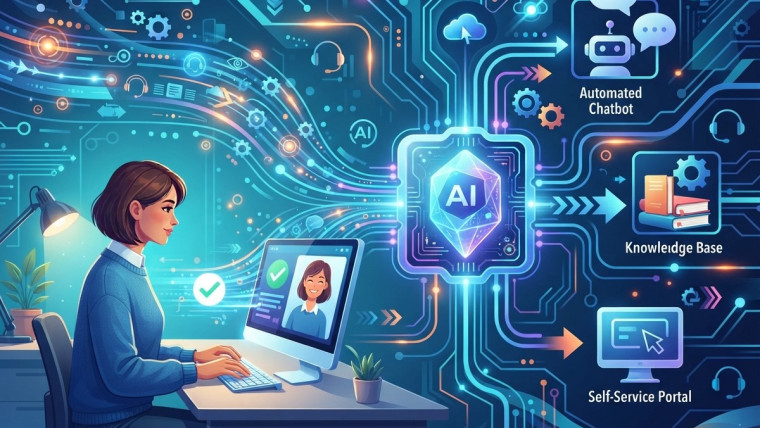
Through Chatbot automation, businesses can handle routine conversations more efficiently. Chatbot integration can connect assistants with productivity applications, while Intelligent chatbots can help users locate relevant information and navigate common workflows.
Frequently Asked Questions
1. What is an AI virtual assistant?
An AI virtual assistant is software that helps users complete tasks through text or voice interactions. Depending on its capabilities, it can organize schedules, create reminders, summarize information, answer questions, and assist with routine workflows.
2. How does an AI virtual assistant improve time management?
It can reduce manual work by organizing tasks, managing reminders, assisting with scheduling, summarizing information, and automating selected repetitive activities. This allows users to spend more time on important responsibilities.
3. What is chatbot automation?
Chatbot automation uses software to manage routine conversations and predefined workflows. It can answer common questions, collect information, provide instructions, and route complex inquiries to human representatives.
4. What is chatbot integration?
Chatbot integration connects a chatbot with other systems, such as calendars, customer support platforms, task managers, and knowledge bases. These connections can reduce manual data entry and make workflows more efficient.
5. What are intelligent chatbots?
Intelligent chatbots use conversational technologies, such as natural language processing or AI models, to interpret requests and provide relevant responses. Their capabilities vary according to their design, data sources, and integrations.
6. Can AI virtual assistants manage calendars?
Some AI virtual assistants can help schedule appointments, create reminders, identify calendar conflicts, and prepare meeting information. Calendar changes and other actions may require connected applications and appropriate user permissions.
7. Can AI virtual assistants improve workplace productivity?
Yes. They can assist with repetitive administration, task organization, information retrieval, and routine communication. Productivity gains depend on the suitability of the tasks, implementation quality, and the accuracy of the assistant’s outputs.
8. Are AI virtual assistants suitable for small businesses?
Yes. Small businesses may use them to organize appointments, answer common customer questions, prepare routine communications, and manage administrative tasks. The best option depends on the business’s needs, budget, and existing software.
9. What are the limitations of AI virtual assistants?
They can misunderstand requests, generate inaccurate information, require specific integrations, and struggle with situations that need human judgment. Users should review important outputs and maintain clear procedures for handling complex tasks.
10. How can businesses measure the effectiveness of an AI virtual assistant?
Businesses can track time spent on repetitive activities, task completion rates, response times, error rates, employee feedback, and customer satisfaction. Comparing these indicators before and after implementation helps evaluate actual improvements.





How AI Virtual Assistants Improve Time Management
How Business Chatbots Reduce Customer Support Workloads
How Lead Generation Chatbots Improve Sales Opportunities
How Chatbot Integration Improves Business Efficiency