
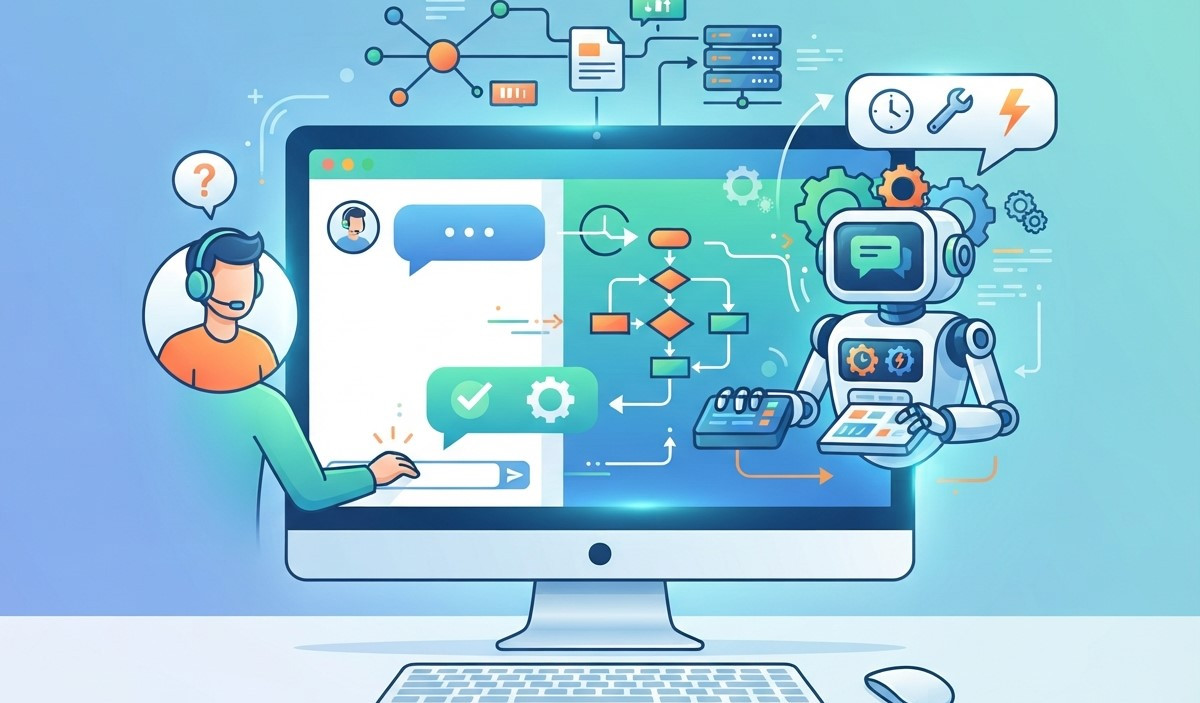
Live chat automation has become an important part of modern customer service. Businesses can use automated conversations to answer common questions, guide website visitors, provide instant support, and connect customers with human agents when more personalized assistance is needed. This approach can reduce response times while helping support teams manage a larger number of conversations.
As customer expectations continue to grow, businesses need faster and more convenient ways to communicate. Technologies such as Chatbot automation, Conversational AI, and AI chatbots can help create responsive customer experiences without making interactions feel completely impersonal.
When implemented correctly, live chat automation can improve service efficiency, increase customer satisfaction, support lead generation, and allow human agents to focus on complex customer needs.
What Is Live Chat Automation?
Live chat automation uses software, rules, and artificial intelligence to automatically manage customer conversations through a website or digital platform. Instead of requiring a support representative to answer every message manually, automated systems can handle repetitive questions and basic requests.
How Automated Live Chat Works
An automated chat system typically begins by identifying a visitor’s message or selecting an appropriate response based on predefined rules. More advanced systems can understand natural language, identify customer intent, retrieve relevant information, and provide personalized responses.
The system can also collect basic information before transferring a conversation to a human agent. This allows support teams to understand the customer’s issue before taking over the conversation.
Automation and Human Support
Automation should not completely replace human interaction. Its main purpose is to handle repetitive tasks and make customer support more efficient. When a question requires empathy, technical expertise, or account-specific assistance, the conversation should be transferred to a qualified representative.
Benefits of Live Chat Automation for Customer Service
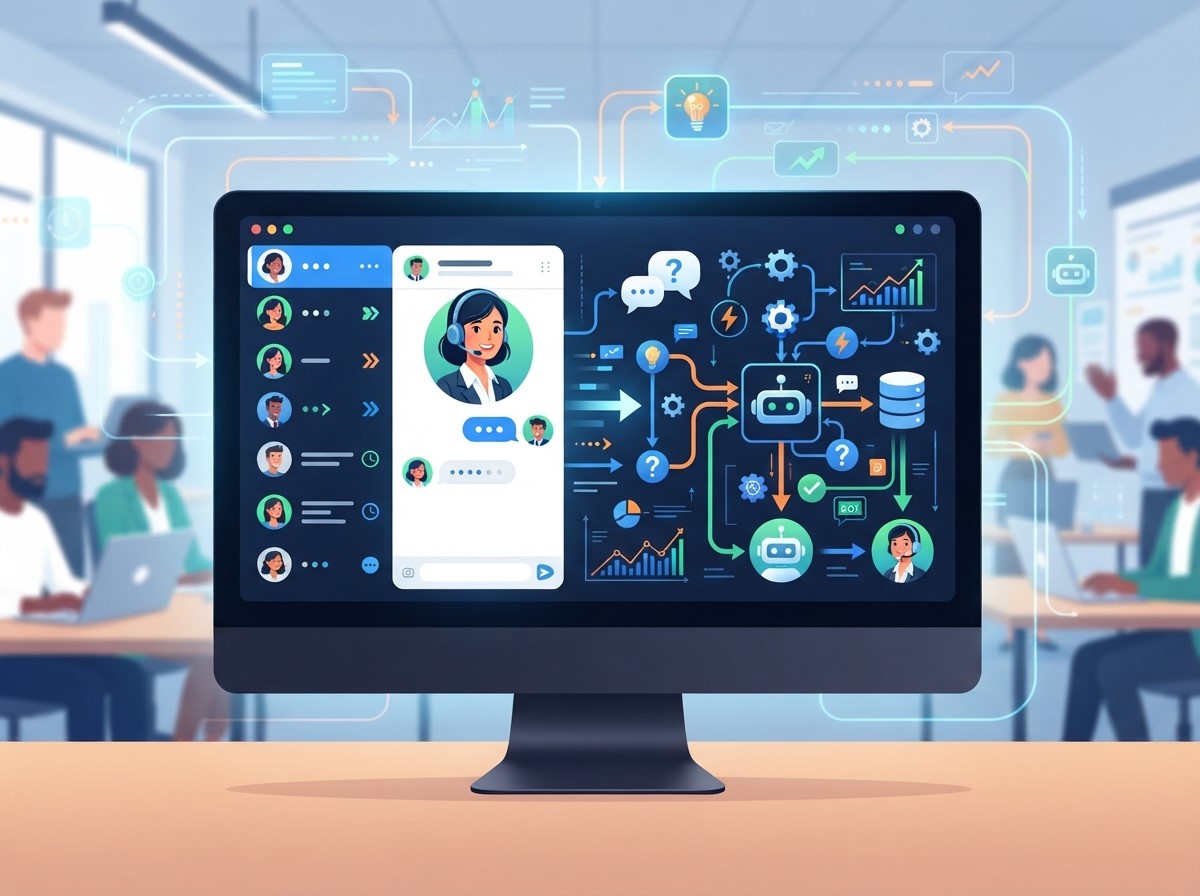
Provide Faster Responses
Customers often expect immediate answers when they contact a business online. Automated chat can respond instantly to frequently asked questions, helping customers find information without waiting for an available representative.
This is particularly useful for questions about business hours, product details, pricing, shipping, appointment processes, and other common topics.
Support Customers Around the Clock
Unlike traditional support teams that operate during specific hours, automated chat systems can remain available 24/7. Customers can receive basic assistance even outside normal business hours.
For international businesses, this can be particularly valuable because customers may visit a website from different time zones.
Use Chatbot Automation for Repetitive Questions
Chatbot automation is useful for handling repetitive customer requests. Instead of requiring agents to repeatedly answer the same questions, businesses can create automated responses that provide consistent information.
Build a Useful Knowledge Base
The quality of automated responses depends heavily on the information available to the system. Create a structured knowledge base containing frequently asked questions, product information, policies, troubleshooting instructions, and other relevant resources.
The knowledge base should be reviewed regularly so that outdated information does not create incorrect customer experiences.
Identify Common Customer Questions
Review previous customer conversations to identify frequently repeated questions. These questions can become the foundation of automated chat flows.
For example, if customers frequently ask about delivery times, return policies, payment options, or account setup, those topics can be prioritized when developing automated responses.
Use Conversational AI for More Natural Interactions
Conversational AI can make automated customer service more flexible by allowing systems to understand natural language instead of relying exclusively on fixed commands or menu options.
Understand Customer Intent
Advanced systems can analyze customer messages and determine what the person is trying to accomplish. A customer might phrase the same request in several different ways, and an effective AI system should be able to recognize the underlying intent.
This can make conversations feel more natural and reduce frustration caused by rigid automated menus.
Personalize Automated Conversations
Personalization can improve the customer experience when it is used appropriately. Automated systems can use available information, conversation history, or customer selections to provide more relevant responses.
For example, the system may guide a returning visitor toward relevant support information rather than starting the conversation from the beginning.
Implement AI Chatbots With Clear Objectives

Choose the Right Tasks for Automation
Start with tasks that are repetitive, predictable, and easy to resolve. Common examples include answering FAQs, collecting contact details, checking basic order information, scheduling appointments, and directing customers to relevant resources. More complicated issues can be transferred to human agents.
Set Clear Conversation Boundaries
An automated system should recognize its limitations. If it cannot confidently answer a question, it should avoid generating an uncertain response.
Instead, the chatbot can explain that additional assistance is required and provide a clear option to contact a human representative.
Create Smooth Human Handoffs
Automation works best when customers can easily reach a human when necessary. A poor handoff can create frustration, especially when customers have to repeat information they already provided to the automated system.
Transfer Complex Conversations
Create clear rules for transferring conversations. Situations involving complaints, technical problems, sensitive account information, unusual requests, or repeated unsuccessful responses may require human assistance. The transition should happen without unnecessary delays.
Share Conversation Context With Agents
When a conversation is transferred, the agent should receive relevant information about the customer’s previous messages. This allows the representative to understand the issue quickly and continue the conversation naturally. Providing context can reduce repetition and improve overall support efficiency.
Design Customer-Friendly Chat Flows
A well-designed conversation should guide customers toward useful answers without creating unnecessary steps. Complex or confusing flows can make automation feel more difficult than speaking with a human.
Keep Automated Messages Clear
Use simple language and short messages. Customers should understand what the system is asking and what action they can take next.
Avoid excessive technical language, long paragraphs, or complicated menu structures that may make the interaction difficult to follow.
Offer Useful Options
Where appropriate, provide clear options that help customers move forward. For example, a chatbot may allow visitors to choose between product information, technical support, billing questions, or speaking with an agent. Clear choices can reduce the effort required to find the right information.
Integrate Live Chat With Other Business Systems
Live chat automation becomes more useful when it works alongside other business tools. Integrations can help customer service teams access information and manage conversations more efficiently.
Connect With CRM Platforms
Connecting chat systems with a customer relationship management platform can help businesses organize customer information and conversation history. Support teams can use this information to understand previous interactions and provide more relevant assistance.
Integrate With Customer Support Tools
Live chat can also connect with ticketing systems, knowledge bases, calendars, order management platforms, and other support tools. These integrations can reduce manual work and help automate routine processes. The goal is to create a connected customer service workflow rather than an isolated chatbot.
Use Automation to Support Lead Generation
Live chat automation is not limited to customer support. It can also help businesses engage website visitors and identify potential customers.
Qualify Website Visitors
Automated conversations can ask visitors basic questions about their needs, budget, interests, or preferred service. Based on their responses, the system can determine whether the visitor may need sales assistance. This can help sales teams focus their time on conversations that require personal attention.
Collect Contact Information
When visitors are interested but not ready to speak with an agent, automated chat can request appropriate contact information. The information can then be used for follow-up communication when proper consent and privacy practices are followed.
Make Automation Helpful Instead of Intrusive
Automation should make customer interactions easier, not create additional obstacles. Businesses should carefully consider when and how chat appears on their websites.
Avoid Aggressive Chat Pop-Ups
A chat window that appears immediately or repeatedly can interrupt visitors while they are browsing. Consider timing, visitor behavior, and page context before triggering automated conversations. A helpful invitation is generally more useful than a persistent interruption.
Respect Customer Preferences
Customers should have reasonable control over the interaction. Make it easy to close the chat, request a human representative, or stop automated messages when appropriate. Respecting preferences can help maintain trust and create a more comfortable experience.
Monitor and Improve Chat Performance
Launching an automated chat system is only the beginning. Businesses should continuously analyze conversations and customer feedback to identify areas that need improvement.
Track Important Metrics
Useful metrics may include response time, conversation completion rate, transfer rate, customer satisfaction, resolution rate, engagement rate, and lead conversion rate. The most important metrics depend on the primary objective of the chat system.
Review Failed Conversations
Pay close attention to conversations where the chatbot could not provide a useful answer. These interactions can reveal missing knowledge, confusing conversation flows, or questions that require additional automation rules. Regular review helps the system become more useful over time.
Protect Customer Data and Privacy
Customer service automation often handles personal and business information, so data protection should be part of the implementation strategy. Businesses should understand what information their chat system collects, stores, and shares.
Collect Only Necessary Information
Avoid requesting information that is not needed to resolve the customer’s issue. Limiting data collection can reduce privacy risks and make the conversation more efficient.
Apply Appropriate Security Practices
Businesses should use suitable security measures and follow applicable privacy requirements when storing or processing customer information. Customers should also be given clear information about how their data is handled when necessary.
Train and Update Your Automated System

Update Knowledge Regularly
Review the chatbot’s knowledge base and automated responses whenever products, pricing, policies, services, or procedures change. Regular updates help ensure that customers receive accurate information.
Learn From Customer Feedback
Customer feedback can reveal whether automated support is actually solving problems. Use surveys, support tickets, conversation reviews, and direct feedback to identify areas for improvement. A continuous improvement process helps businesses maintain service quality as customer needs evolve.
Common Mistakes to Avoid With Live Chat Automation
Businesses can reduce the effectiveness of automated support by focusing too much on technology and not enough on customer experience. Avoiding common mistakes can help create more useful and reliable conversations.
Do Not Hide Human Support
Customers should not have to fight through multiple automated menus to reach a human. Make human assistance accessible when automation cannot resolve the issue.
Do Not Automate Everything
Some customer interactions require empathy, judgment, or detailed expertise. Automating these situations may create frustration. Use automation for suitable tasks while allowing human representatives to handle conversations that require personal attention.
Conclusion
Live chat automation can transform customer service by providing faster responses, supporting customers around the clock, reducing repetitive workloads, and creating more efficient communication processes. However, successful automation depends on thoughtful implementation rather than simply adding a chatbot to a website.
Businesses can combine Chatbot automation, Conversational AI, and AI chatbots to handle common questions, personalize interactions, qualify leads, and guide customers toward relevant solutions. At the same time, human agents should remain available for complex or sensitive conversations. The best approach is to build automation around customer needs, monitor performance, protect customer information, and continuously improve automated conversations. When technology and human support work together, businesses can create faster, more convenient, and more reliable customer service experiences.
Frequently Asked Questions
1. What is live chat automation?
Live chat automation uses software, rules, and artificial intelligence to automatically respond to customer questions, provide information, collect details, and guide conversations without requiring a human agent for every interaction.
2. How does live chat automation improve customer service?
It can provide faster responses, offer support outside business hours, reduce repetitive work, and help customers find information without waiting for a support representative.
3. What is Chatbot automation?
Chatbot automation allows a chatbot to automatically handle predefined customer interactions such as answering frequently asked questions, collecting information, and directing customers to appropriate resources.
4. What is Conversational AI?
Conversational AI is technology that enables software to understand and respond to human language in a more natural and flexible way. It can support automated conversations across different customer service scenarios.
5. How do AI chatbots help businesses?
AI chatbots can answer customer questions, provide recommendations, collect information, qualify leads, assist with basic support tasks, and transfer complex conversations to human agents.
6. Can live chat automation replace customer service agents?
It can reduce the workload associated with repetitive tasks, but human agents remain important for complex, sensitive, or highly personalized customer interactions.
7. What questions should businesses automate?
Businesses can automate frequently asked questions about products, services, pricing, delivery, business hours, appointments, account processes, and other predictable customer requests.
8. How can businesses make automated chat more human?
Businesses can use natural language, personalized responses, clear conversation flows, relevant context, and easy human handoffs to create a more natural customer experience.
9. What metrics should businesses track?
Important metrics can include response time, resolution rate, customer satisfaction, conversation completion, human transfer rate, engagement, and lead conversion, depending on the business objective.
10. How can businesses improve their automated chat over time?
Businesses can review failed conversations, analyze customer feedback, update their knowledge base, improve conversation flows, monitor performance metrics, and regularly update automated responses.
5 Replies to Live Chat Automation Best Practices to Improve Customer Service
Chatbot Data Privacy Strategies to Strengthen Customer Trust
AI Chatbot Security Strategies to Protect Customer Information
How Omnichannel Chatbot Solutions Drive Customer Engagement
AI Chatbot Personalization for Smarter Customer Interactions