

Employee onboarding is no longer just about completing paperwork or giving office tours. It has evolved into a strategic process that builds the foundation for employee engagement, job satisfaction, and long-term workforce retention. A smooth onboarding experience helps new hires feel welcomed, supported, and ready to contribute from day one.
However, traditional onboarding often feels overwhelming. New employees face complex instructions, delayed responses, and scattered information. HR teams struggle with repeated tasks, manual data entry, and lack of visibility. These issues slow down productivity, create confusion, and increase early turnover — one of the biggest challenges modern organizations face.
AI Chatbots in Onboarding solve these problems by using advanced automation, smart workflows, and conversational intelligence to simplify every step. These chatbots act as digital onboarding assistants, offering real-time guidance, personalized support, and instant answers — helping HR teams deliver a consistent and efficient onboarding experience.
Understanding the Modern Onboarding Challenge
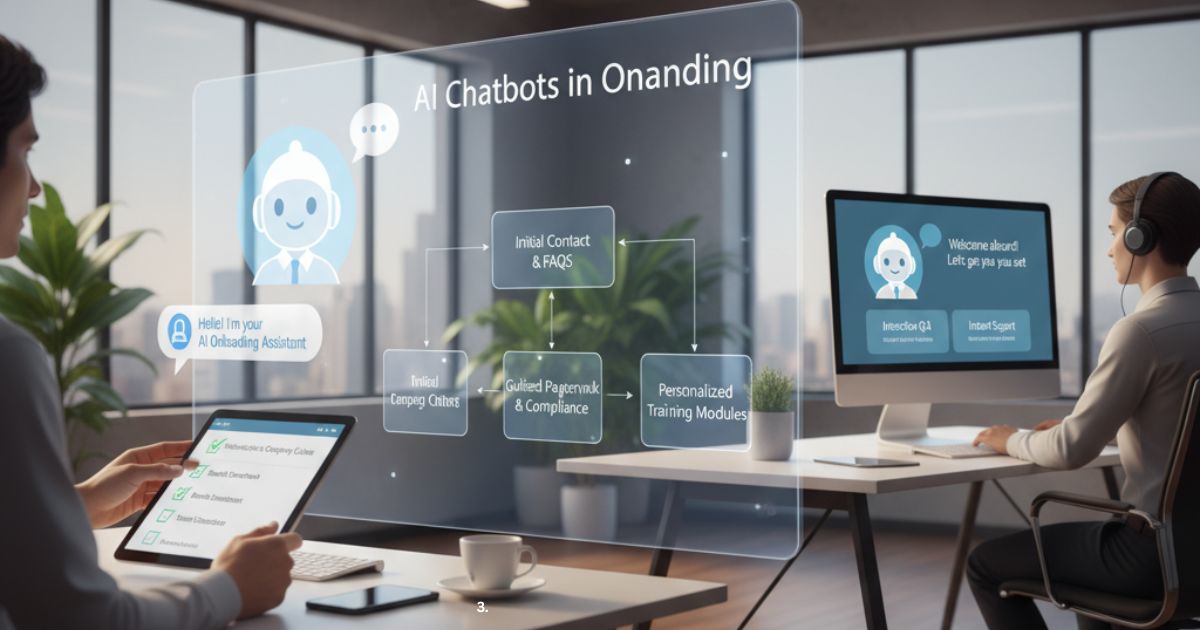
Onboarding involves multiple steps and relies on the coordination of various departments — including HR, IT, management, finance, and training teams. Without automation, the process becomes slow and difficult to manage.
1. Information Overload
New hires receive a huge amount of documents, policies, training materials, login instructions, and access guidelines in a very short time. Most employees cannot absorb all of this at once, leading to confusion and frustration. When information is not delivered in a structured, digestible way, it reduces learning efficiency.
2. Administrative Bottlenecks
HR teams handle repetitive tasks such as:
-
Sharing policy files
-
Collecting documents
-
Sending reminders
-
Scheduling training sessions
-
Coordinating with IT for device setup
These tasks take hours every week, reducing HR productivity and slowing down the onboarding timeline.
3. Inconsistent Onboarding Experience
Different managers and departments often follow their own onboarding methods. Some provide strong support, while others leave gaps. This inconsistency affects:
-
Employee confidence
-
Company image
-
First-day experience
-
Long-term engagement
Employees who experience poor onboarding lose trust in the organization early.
4. Delayed Responses and Support Gaps
New employees usually have immediate questions about:
-
Payroll
-
Benefits
-
Leave policies
-
Software access
-
Work expectations
When HR or managers take too long to respond, new hires feel stuck and unproductive, reducing their overall morale.
Result: Lower engagement, reduced performance, and higher early turnover — which increases recruitment costs and disrupts business operations.
Benefits of AI Chatbots in Onboarding
AI chatbots act as digital onboarding assistants that support new hires from their first day. These intelligent tools automate HR workflows, deliver instant answers, and guide employees through every step of the employee onboarding process. By using AI onboarding automation, companies ensure a faster, smoother, and more consistent experience.
AI chatbots enhance onboarding by:
-
Reducing dependency on HR teams
-
Automating repetitive onboarding tasks
-
Delivering consistent new hire experiences
-
Offering real-time support and guidance
-
Providing personalized onboarding workflows
-
Increasing efficiency across departments
This leads to a seamless onboarding journey that improves employee satisfaction and HR productivity.
1. 24/7 Support and Instant Answers
AI chatbots provide round-the-clock HR support, eliminating wait times for new hires. They instantly answer questions related to:
-
Company policies and HR guidelines
-
Salary structure and benefits
-
Leave rules and attendance policies
-
Digital workplace tools and software setup
-
Training modules and learning paths
-
Compliance procedures and documentation
With real-time onboarding support, employees become more confident and self-reliant. HR teams save hours by reducing repetitive questions, improving overall onboarding efficiency.
2. Personalized Employee Journeys
AI-powered onboarding tools deliver personalized onboarding experiences based on:
-
Job role or department
-
Seniority or experience level
-
Location (global or local teams)
-
Work model (remote, hybrid, in-office)
-
Training requirements
-
Access to internal systems
This intelligent HR solution ensures each employee receives a customized onboarding plan.
Example:
A software engineer gets IT setup checklists, repository access, and development guidelines.
A sales rep receives CRM training, product knowledge, and pitch materials.
This level of workflow personalization accelerates learning and boosts early engagement.
3. Scalable Across Teams and Regions
AI chatbots make the employee onboarding workflow scalable for any organization. Whether hiring dozens or thousands, the chatbot maintains consistent quality and speed.
It works effectively for:
-
Large enterprises
-
Distributed and remote teams
-
Global cross-border onboarding
-
Seasonal or temporary hiring
-
Fast-growth startups
This scalable HR automation ensures every employee receives equal support, without increasing HR staff.
4. Data-Driven Insights for HR Leaders
Onboarding chatbots generate data-driven HR insights by analyzing employee interactions. These insights help organizations identify:
-
Common onboarding FAQs
-
Repeated pain points or confusion
-
IT or system-related issues
-
Employee engagement patterns
-
Training completion behaviors
With this AI-powered analytics, HR leaders can optimize onboarding content, improve training modules, and streamline internal processes, transforming onboarding into a more predictable and measurable operation.
5. Reduced Costs and Lower Manual Effort
AI onboarding automation helps cut operational costs by handling:
-
Repetitive HR questions
-
Document collection and verification
-
Onboarding checklists
-
Meeting and training reminders
-
Compliance training tracking
-
Policy explanations
By reducing manual tasks, HR teams can focus on strategic HR roles, including:
-
Culture development
-
Employee engagement
-
Leadership support
-
Performance improvement
This shift increases the value HR delivers while minimizing everyday operational burdens.
Key Features That Define an Effective Onboarding Chatbot
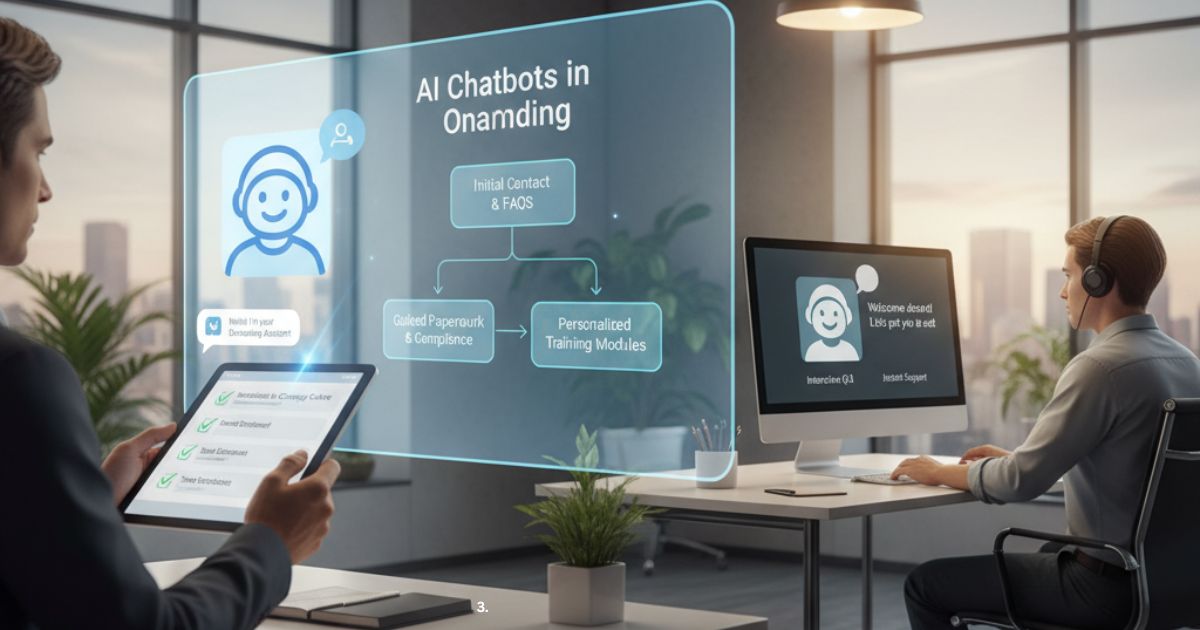
An effective onboarding chatbot goes beyond simple messaging—it acts as a smart digital onboarding assistant that guides, supports, and automates the entire new hire process. The following key features ensure the chatbot delivers a smooth, structured, and high-quality onboarding experience.
1. Intelligent Workflow Automation
A powerful onboarding chatbot automates repetitive tasks such as:
-
Document submission
-
Policy acknowledgment
-
Meeting or orientation scheduling
-
IT setup reminders
-
Training module assignment
This reduces the manual workload for HR teams and ensures every new employee follows a consistent onboarding path.
2. Personalized Onboarding Paths
Every employee needs a different onboarding journey. An effective chatbot creates personalized experiences based on:
-
Job role
-
Department
-
Location or time zone
-
Seniority
-
Required tools or system access
This ensures the onboarding process feels relevant, helpful, and tailored to each individual.
3. Real-Time Answers and Instant Support
New hires often feel overwhelmed with questions. A smart chatbot provides:
-
Instant HR support
-
Policy explanations
-
Quick access to company resources
-
Tool setup instructions
-
Troubleshooting for common issues
This eliminates wait times and boosts employee confidence on day one.
4. Multichannel Communication
An effective onboarding chatbot works across multiple platforms, including:
-
Website chat
-
Mobile apps
-
WhatsApp
-
Slack
-
Microsoft Teams
-
Email
This ensures employees receive onboarding support on the channel they prefer.
5. Integration With HR Systems
To deliver a smooth workflow, the chatbot integrates with key HR tools such as:
-
HRIS (Human Resource Information System)
-
ATS (Applicant Tracking System)
-
LMS (Learning Management System)
-
Payroll systems
-
IT service management tools
This creates an automated and unified onboarding experience.
6. Automated Reminders and Notifications
Effective onboarding requires timely completion of tasks. The chatbot sends reminders for:
-
Document deadlines
-
Training sessions
-
Meeting invitations
-
Compliance requirements
-
IT setup tasks
These reminders ensure no step is missed and the onboarding timeline stays on track.
7. Two-Way Interactive Conversations
A modern onboarding chatbot uses natural language processing (NLP) to:
-
Understand employee questions
-
Provide contextual responses
-
Offer guidance based on employee needs
-
Simulate real human-like interactions
This creates a more engaging and supportive onboarding environment.
8. Analytics and Reporting Capabilities
An effective chatbot collects onboarding data and reveals important insights, such as:
-
Most asked onboarding questions
-
Common blockers for new employees
-
Training completion rates
-
Employee sentiment signals
These insights help HR teams improve the onboarding process continuously.
9. Localization and Language Support
For global teams, an effective onboarding chatbot supports:
-
Multiple languages
-
Region-specific content
-
Local policies and cultural nuances
This ensures a smooth experience for employees in different countries.
Implementation Framework: Deploying AI Chatbots in Onboarding
Deploying an AI onboarding chatbot requires a structured framework to ensure measurable outcomes, employee adoption, and HR efficiency. The following step-by-step roadmap helps organizations implement chatbots effectively while maximizing return on investment.
1. Define Purpose and KPIs
Before implementation, clearly identify what success looks like. Set measurable key performance indicators (KPIs) such as:
-
Reduced HR workload and administrative time
-
Faster completion of onboarding tasks
-
Higher new hire engagement and satisfaction
-
Increased training completion rates
-
Reduced early employee turnover
Having clear goals ensures the chatbot is aligned with organizational objectives and delivers real value.
2. Select the Right Platform
Choose a chatbot platform that meets your organization’s technical and operational requirements. Consider:
-
NLP (Natural Language Processing) capabilities for accurate understanding
-
Integration with HRIS, LMS, and payroll systems
-
Scalability for multiple teams, departments, or global offices
-
Pricing models, licensing, and support
Selecting the right platform ensures smooth deployment and long-term effectiveness.
3. Design Conversational Flows
Map the full employee journey from day one onward. Include:
-
Account setup and login instructions
-
Access to training modules and learning paths
-
Policy and compliance guidance
-
Task reminders and notifications
-
IT and software onboarding
Well-structured conversational flows provide interactive, guided experiences and ensure employees get the right information at the right time.
4. Integrate Core Systems
Connect the chatbot to existing enterprise systems for personalized experiences:
-
HRIS for employee data and role-specific workflows
-
LMS for training content and progress tracking
-
Document repositories for policies and forms
-
Authentication systems for secure access
Integration enables a seamless and connected onboarding workflow, improving both HR efficiency and employee satisfaction.
5. Train with Real Data
Feed the chatbot with:
-
Historical HR FAQs
-
Onboarding checklists
-
Policy documents
-
Feedback from previous new hires
Training with authentic data improves NLP accuracy, reduces miscommunication, and ensures employees receive reliable, context-aware responses.
6. Run a Controlled Pilot
Start with a small group of employees or a single department. Monitor:
-
Employee adoption and engagement
-
Conversation accuracy
-
Workflow efficiency
-
Feedback for improvement
A pilot allows you to refine workflows, conversational design, and system integration before rolling out company-wide.
7. Launch Organization-Wide
After successful testing:
-
Announce the chatbot to all new hires and HR staff
-
Provide short demos or training sessions
-
Encourage daily usage for onboarding questions and guidance
-
Monitor adoption rates and support requests
A clear communication and adoption strategy maximizes engagement and ensures the chatbot becomes part of the onboarding culture.
8. Continuous Optimization
Onboarding is an evolving process. Regularly:
-
Analyze conversation logs and HR data
-
Add new intents for emerging questions or policies
-
Update training content based on employee feedback
-
Refine conversational flows for clarity and efficiency
Continuous optimization ensures the chatbot stays accurate, helpful, and aligned with changing organizational needs.
Best Practices for Sustainable Value Creation with Onboarding Chatbots
To achieve long-term impact, an onboarding chatbot must remain adaptive, engaging, and human-centric. Following these best practices ensures your chatbot continues to deliver value to both employees and HR teams over time.
1. Promote Awareness
Introduce the chatbot as part of your onboarding program. Include a short orientation session that explains:
-
How the chatbot assists in daily onboarding tasks
-
The types of questions it can answer
-
How to access it on various platforms (web, mobile, Slack, Teams)
Raising awareness increases employee adoption and ensures the chatbot becomes a trusted onboarding assistant.
2. Enable Escalation to Live HR Agents
Even the most advanced chatbot cannot handle every query. Ensure a seamless handoff to human HR agents for:
-
Complex or sensitive questions
-
Payroll, benefits, or compliance concerns
-
Technical or policy issues requiring judgment
A smooth escalation system maintains trust, prevents frustration, and reinforces the chatbot’s reliability.
3. Gather Feedback Continuously
Collect employee feedback directly through the chatbot using:
-
Quick in-chat surveys
-
Emoji or star ratings
-
Open-ended comments
Analyzing feedback helps HR teams identify gaps, improve content, and optimize conversational flows for better engagement.
4. Maintain a Human Tone
Even though the chatbot is AI-driven, communication should feel:
-
Friendly and approachable
-
Clear and empathetic
-
Personalized to the employee’s role and situation
A human-like tone fosters trust, encourages interaction, and enhances the overall onboarding experience.
5. Update Regularly
Keep the chatbot current by:
-
Adding new HR policies or organizational changes
-
Reflecting updated benefits or tools
-
Incorporating new training modules or content
Regular updates ensure the chatbot remains relevant, accurate, and valuable to employees over time.
6. Monitor Engagement Metrics
Track key KPIs such as:
-
Chatbot usage frequency
-
Task completion rates
-
Average response time
-
Escalation rate to live agents
-
Employee satisfaction scores
Monitoring these metrics ensures your onboarding chatbot continues to deliver measurable business value and ROI.
Measuring ROI and Performance Metrics for Onboarding Chatbots
To demonstrate the true value of an AI onboarding chatbot, it’s essential to focus on measuring chatbot performance alongside employee experience outcomes. Tracking the right metrics allows HR leaders to quantify ROI, optimize workflows, and enhance the overall onboarding process.
Key KPIs to Measure Chatbot ROI
1. Response Accuracy
Measures the chatbot’s ability to provide correct, contextually relevant answers. High accuracy ensures employees trust the chatbot and rely on it for guidance.
-
Example metric: Percentage of interactions answered correctly without escalation.
2. Engagement Rate
Tracks how frequently new hires interact with the chatbot. Higher engagement indicates the chatbot is being adopted and used effectively.
-
Example metric: Number of chatbot interactions per new hire per week.
3. Average Resolution Time
Measures how quickly the chatbot resolves queries. Faster resolution improves productivity, reduces frustration, and shortens the onboarding timeline.
-
Example metric: Average time taken from question submission to answer resolution.
4. Cost Savings
Quantifies the reduction in HR workload and operational expenses by automating repetitive onboarding tasks.
-
Example metric: Hours saved per HR team member per month, or reduction in HR FTE (full-time equivalent) effort.
5. User Satisfaction
Measures how satisfied employees are with the onboarding chatbot experience through post-chat ratings, surveys, and sentiment analysis.
-
Example metric: Average user rating (1–5 stars) or sentiment score from feedback.
Continuous Optimization
By tracking these KPIs, HR teams can:
-
Identify areas where the chatbot needs improvement
-
Optimize conversational flows
-
Update content and knowledge bases
-
Increase adoption and engagement
-
Prove measurable ROI to leadership
This approach ensures your AI onboarding ecosystem remains effective, adaptive, and aligned with organizational goals.
Case Studies: Real-World Business Impact
-
Technology Startup: Reduced onboarding time by 30% through automated FAQ and IT setup.
-
Healthcare Organization: Improved engagement with personalized training notifications.
-
Global Retail Chain: Deployed a multilingual chatbot across 50 branches to unify onboarding and compliance.
These cases show how AI Chatbots in Onboarding translate directly into efficiency, consistency, and employee satisfaction.
The Future of AI-Driven Onboarding
The onboarding landscape is evolving rapidly thanks to generative AI, advanced NLP (Natural Language Processing), and intelligent automation. Future AI onboarding chatbots will go beyond answering questions—they will proactively guide new hires, personalize experiences, and create a more human-centric journey.
1. Emotion Recognition and Sentiment Analysis
Next-generation onboarding bots will detect employee emotions and sentiment through text, voice, or behavioral cues. This enables the chatbot to:
-
Respond empathetically to confusion or frustration
-
Adjust tone and communication style
-
Escalate issues to HR when necessary
2. Voice-Enabled Conversational Interfaces
Voice AI will allow employees to interact with onboarding chatbots through speech commands, making the experience faster and more intuitive:
-
Asking questions verbally about policies, tools, or training
-
Receiving spoken guidance for complex workflows
-
Reducing reliance on typing or reading long documents
3. Predictive Analytics for Proactive Support
Future bots will leverage predictive AI to anticipate new hire needs, identify potential roadblocks, and intervene before issues arise:
-
Predicting which tasks may cause delays
-
Suggesting training modules tailored to individual learning patterns
-
Notifying HR of possible disengagement signals
4. Integrated Dashboards and Real-Time Analytics
Advanced onboarding systems will include integrated dashboards that provide HR teams and managers with:
-
Real-time onboarding progress tracking
-
Engagement metrics and completion rates
-
Sentiment and feedback trends
-
Insights for continuous process improvement
5. Hyper-Personalized and Human-Aware Onboarding
By combining emotion recognition, voice interfaces, and predictive analytics, future AI chatbots will deliver highly personalized, adaptive onboarding journeys. New hires will feel:
-
Understood and supported
-
Guided through relevant tasks without information overload
-
Engaged and motivated from day one
Dig Deeper: How Chatbots Streamline Hiring Processes and Elevate Talent Acquisition
Conclusion
AI chatbots in onboarding are redefining HR—shifting it from a purely administrative role to a strategic enabler that drives employee engagement and retention. By combining automation, personalization, and real-time support, these intelligent assistants transform the way organizations welcome and integrate new hires.
Key Takeaways:
-
Efficiency Gains: Automating repetitive HR tasks frees teams to focus on high-value work such as culture-building and employee development.
-
Enhanced Employee Experience: Personalized guidance and instant support create a smooth, stress-free onboarding journey.
-
Data-Driven Insights: AI chatbots collect actionable insights to continuously refine onboarding processes and improve workforce readiness.
-
Scalable and Future-Ready: Whether onboarding dozens or thousands, AI solutions ensure consistent quality across teams and regions.
For organizations, adopting AI onboarding chatbots is more than digital transformation—it’s a cultural shift toward smarter, human-centric employee experiences.
FAQs
What is an onboarding chatbot?
An onboarding chatbot is an AI assistant that helps new hires complete setup tasks, learn company policies, and access resources efficiently.
How does AI improve onboarding?
AI automates repetitive HR tasks, personalizes learning, and delivers instant support — improving both speed and engagement.
Can chatbots integrate with HR systems?
Yes. They integrate with HR tools such as Workday, BambooHR, and SAP SuccessFactors to automate workflows.
Are onboarding chatbots secure?
Yes. They use encryption, authentication, and data privacy controls to meet enterprise security standards.
What measurable value do chatbots bring to HR?
They reduce onboarding time, lower costs, improve satisfaction, and provide insights for continuous improvement.


Event Management Chatbots: Streamline Attendee Engagement
Ethical AI Chatbots: Ensuring Fairness & Transparency
Mental Health Chatbots: Benefits, Risks & Best Practices
Boost Chatbot IQ with Retrieval-Augmented Generation (RAG)